
Solutions
A Complete, Cloud-Based POS for Restaurants
Adoluna POS is an easy-to-use, cloud-based POS for most types of restaurants. It handles front-of-house ordering and payments, self-service kiosks, online and app orders, third-party delivery orders, and all the back-office work behind them: menus, staff, devices and reports. Adoluna Shift adds staff scheduling and team messaging, and we can also design and host your restaurant’s website.
How it fits together
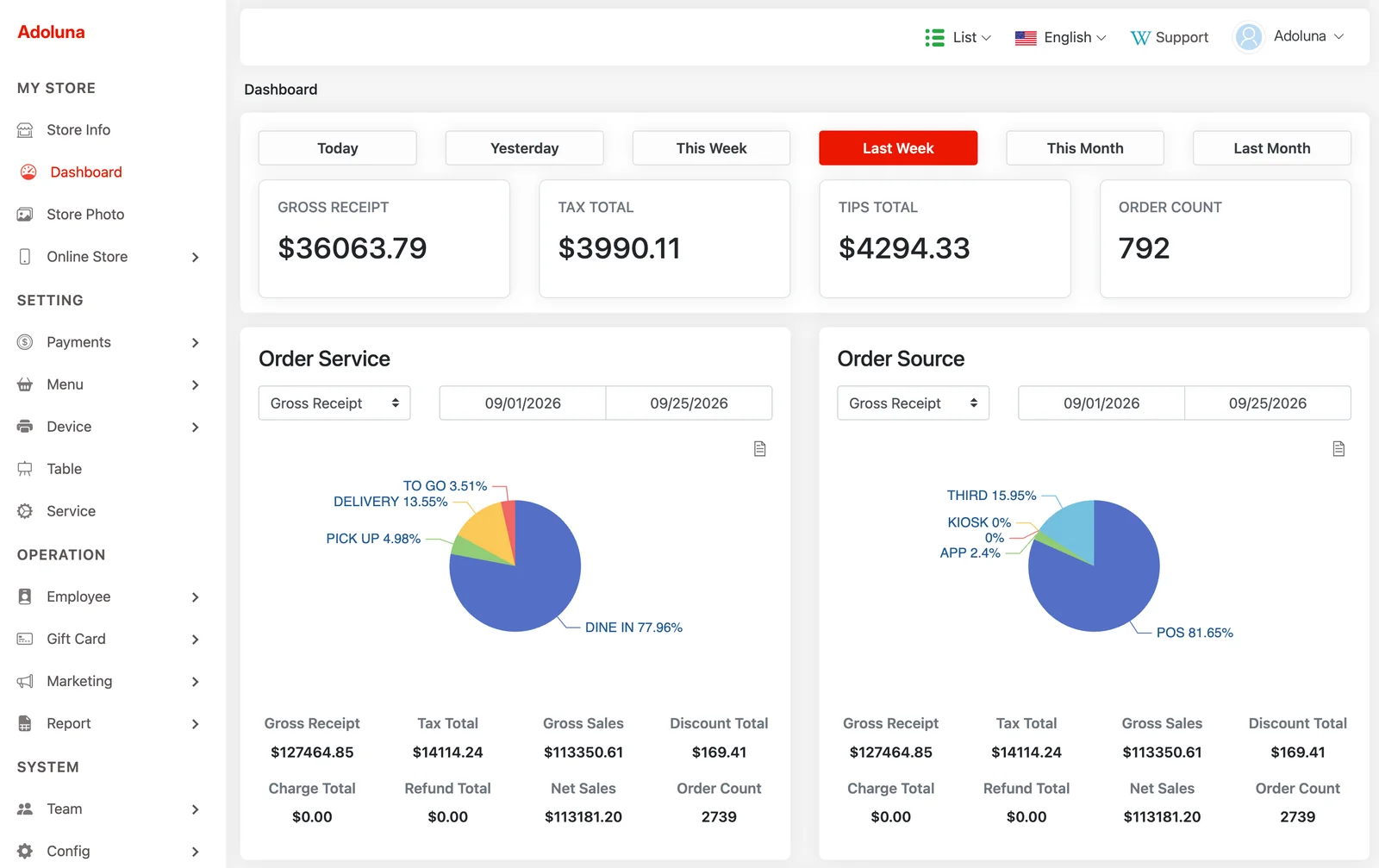
Your POS stations, kiosks, printers and card terminals connect on your restaurant’s network and sync with the Adoluna cloud. Online and app orders arrive in the same order list as in-store orders. Everything you set up in the Backoffice (menu, taxes, printers, staff permissions) applies across the POS, kiosk and online store.
Explore the system
POS Register
Fast order entry, table map, split checks, tips, discounts, gift cards, time clock and end-of-day reports.
Self-Order Kiosk
Guests browse the menu with photos, customize items and pay on their own.
Online Ordering & App
Pick-up and delivery orders go straight into your POS, with no extra tablet.
Backoffice & Reports
Manage menus, staff and devices from any browser. Run sales, time card and bookkeeping reports.
Third-Party Delivery Integration
DoorDash, Uber Eats and other delivery-platform orders come into your POS through our Deliverect integration.
Adoluna Shift
A staff scheduling and team messaging app for iPhone and Android (formerly Shift Manager).
Website Hosting & Design
A mobile-friendly restaurant website, designed and hosted for you, with a direct link to your online ordering.
Gift Cards
Custom plastic magnetic-stripe gift cards with your logo and restaurant name, from 100 ready-made designs.
Works on your devices
iPad/iPhone and Mac (App Store), Android, Windows, Linux, or any major web browser at pos.adoluna.com. Installers are on our Downloads page.
Adoluna POS can also be embedded in any web page with an iFrame, which makes it easier to integrate with third-party systems or your own custom back-office tools.
The number of POS stations and kiosks is configured per store. Contact us and we will set up the right configuration for your restaurant.
In-store hardware
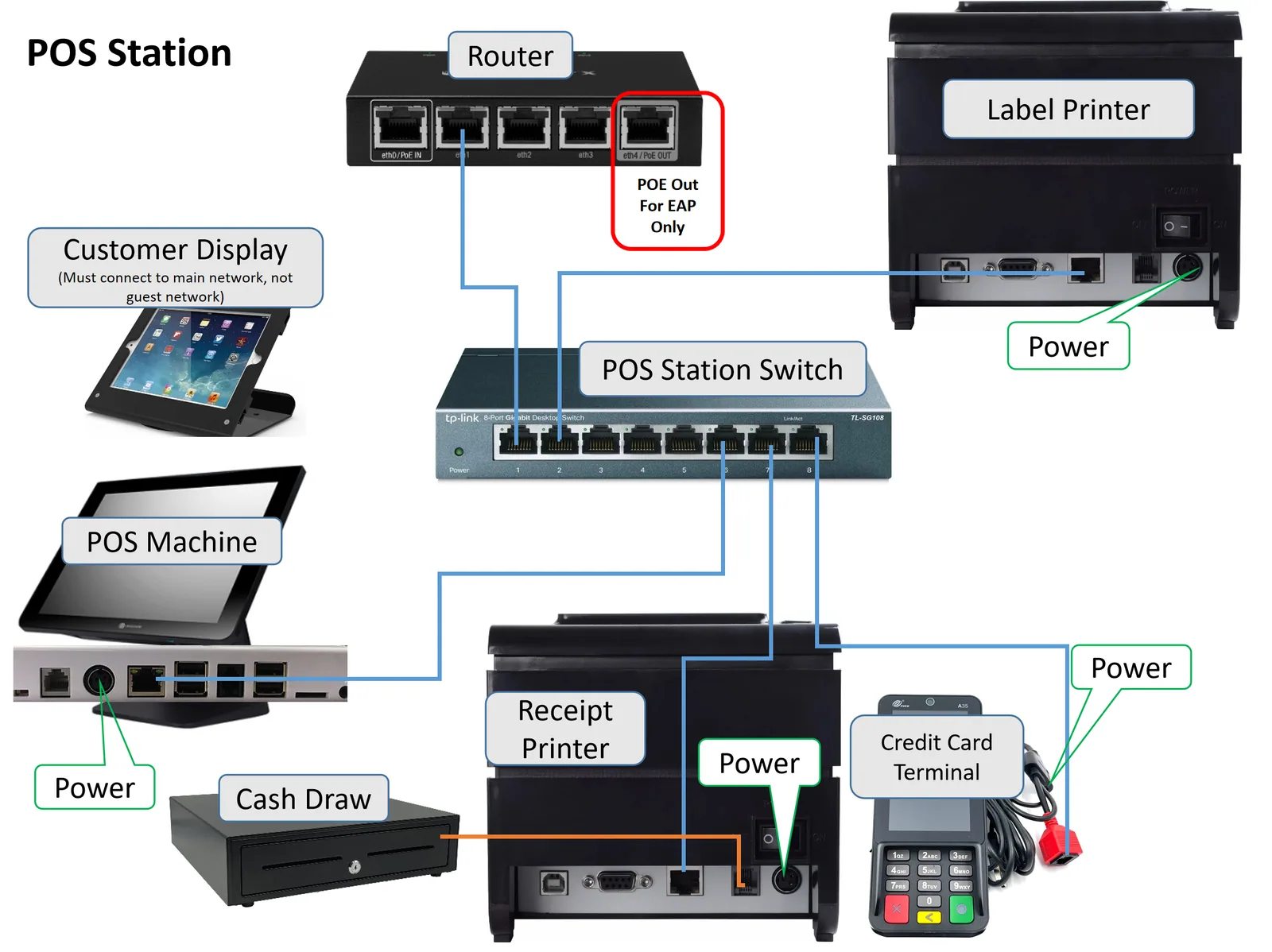
A typical POS station connects the POS machine, receipt printer and credit card terminal to a network switch. The cash drawer connects to the receipt printer, and an optional customer display joins over Wi-Fi. Each kiosk has its own receipt printer and card terminal, and a magnetic card reader is needed to accept gift cards at the kiosk.
Keep your router connected to the internet at all times. The Adoluna Local Server, receipt printers and card terminals must be on the same network. Ask us for a hardware quote for your restaurant.
See Adoluna POS in action
Tell us about your restaurant and we’ll walk you through the POS, kiosk and online ordering, and put together a quote for your setup.