
Backoffice & Reports
Run Your Restaurant from One Backoffice
The Adoluna Store Portal (Backoffice) runs in your web browser at company.adoluna.com. It’s where you set up your menu, staff, devices and online store, and where you see how the business is doing. The portal can switch languages.
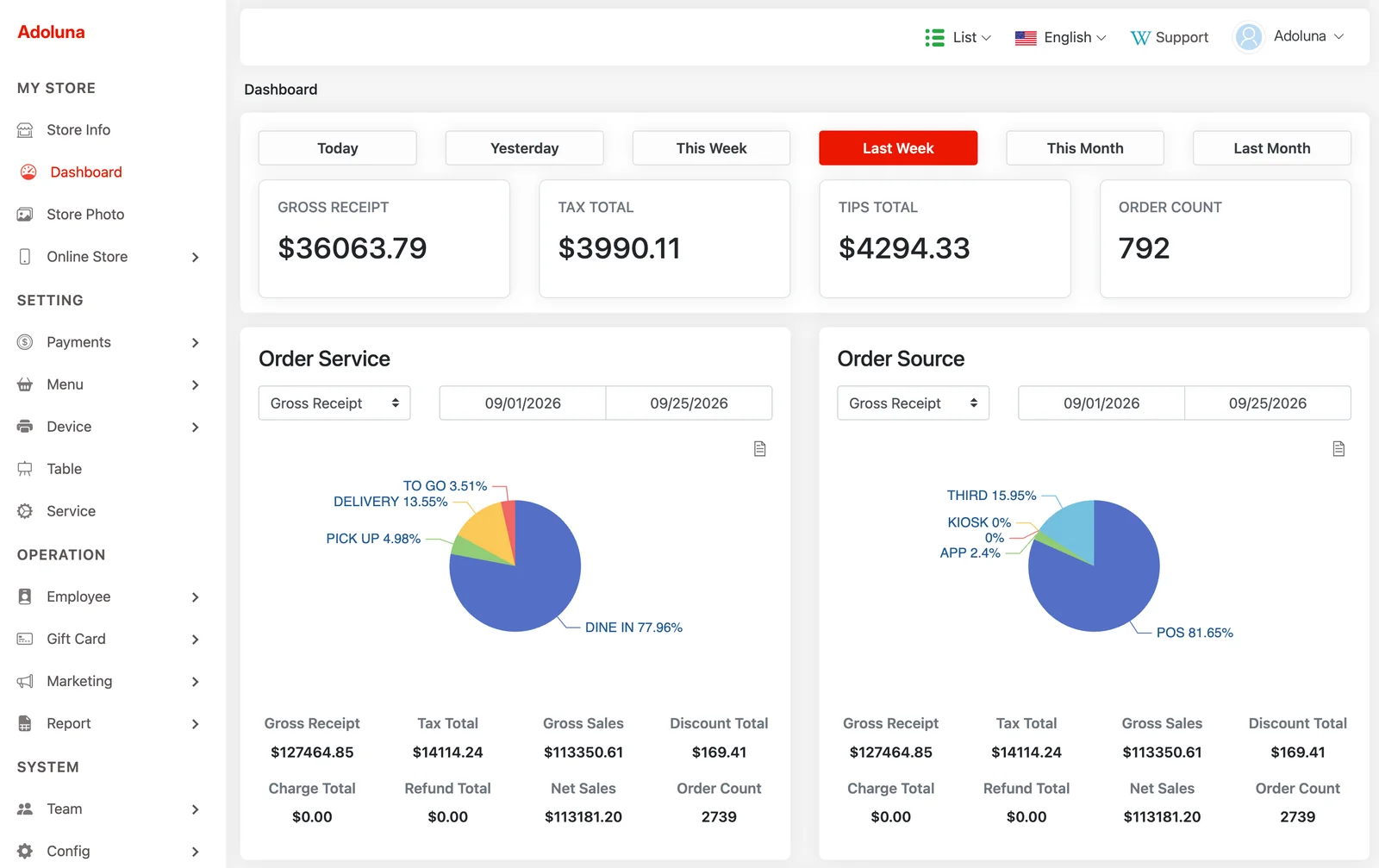
Dashboard and sales reports
The Dashboard shows your sales in charts, including third-party sales. The Daily Summary gives a detailed view of daily sales, and the Menu Summary shows quantity and dollar amount sold for the items you pick. Reports export to Excel.
Time cards and wage statements
The Time Card report produces a statement of hours worked, wages and earned tips for the employees and date range you choose, and exports to Excel. Time card records are edited on the POS by managers with permission.
Built-in bookkeeping records
The Bookkeeping feature gives you a simple form to record and export transactions: bank account, date, reference or check number, amount, payee, category and description. Filter by account and category, and export to Excel.
Menu management
Build categories and items with photos, descriptions, prices, tax types and printer routing. Set up price types, menu groups for reporting, modifiers and forced-modifier templates (with min/max choices). Schedule when categories and items are available, choose where they appear (POS, kiosk, online), set special prices, and import or export your menu with Excel. Pin one category to the top (for example, a virtual “New Item” category that collects new dishes from across the menu), give required modifiers default options, and create buffet menus with their own prices and dining times.
Staff, roles and permissions
Create positions with their own access permissions, then add employees with a 4- to 6-digit passcode, wage information and driver’s license details where needed. Freeze an employee to block login while keeping their passcode, or delete them to release it; either way, their time card and order records stay available.
Customers and marketing
Keep customer records in one place (import and export with Excel) and run promotions for the kiosk and online ordering.
Store setup: devices, tables, services and payments
Configure store info (tax settings, time zone, workday start time, auto batch), your table layout, and settings for each service type (dine-in, to-go, pick-up, delivery), such as automatic gratuity by guest count, tip pooling and receipt printing. Add printers and kitchen printer routing, card terminals, cash drawers, POS stations and kiosks. Payment settings cover discounts, surcharges, tip presets, custom payment types, void reasons and kitchen hold times.