
Purpose: Set up the gift cards you sell most often (value, price, expiry) as templates, so staff can sell them with one tap at the POS. For: owners, managers.
Steps #
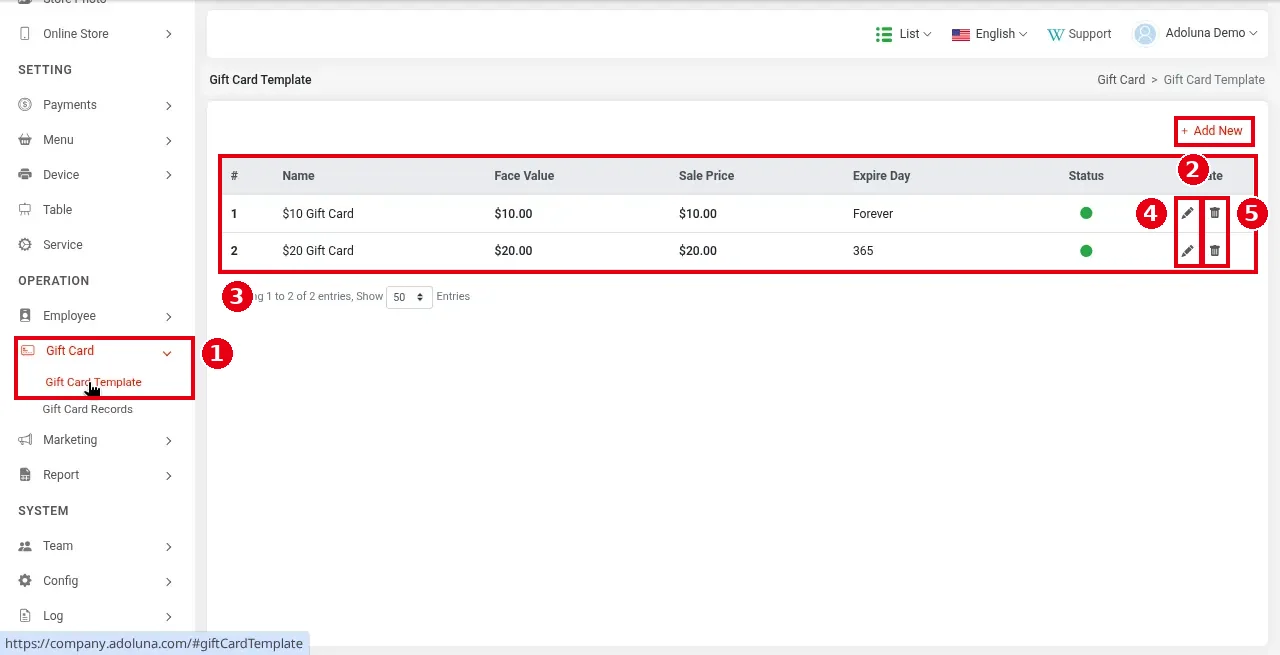
1. In the Backoffice left menu click ① Gift Card > Gift Card Template. List ③ has the columns #, Name, Face Value, Sale Price, Expire Day, Status (a green dot means enabled) and Operate. The screenshot has $10 Gift Card ($10.00, Forever) and $20 Gift Card ($20.00, 365 days).
2. Click ② + Add New at the top right to create a template; click ④ the pencil icon to edit one and ⑤ the bin icon to delete one.
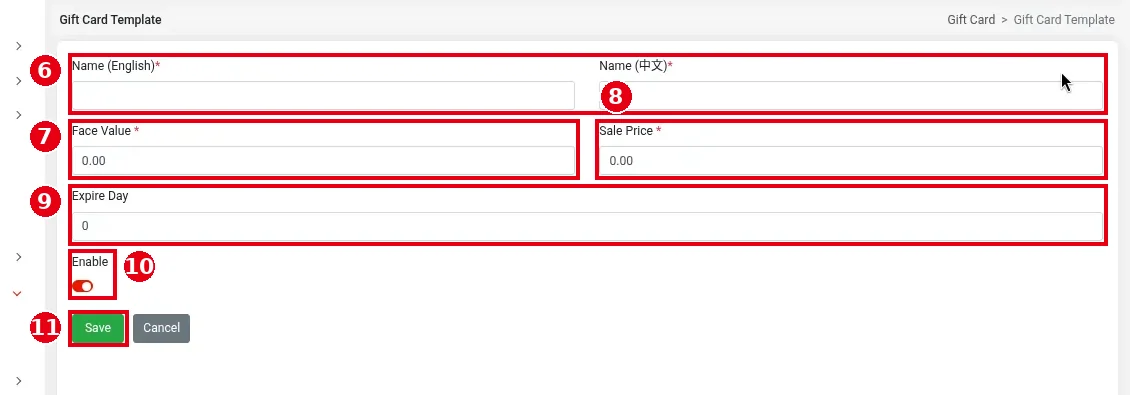
3. Fill in the template:
-
⑥ Name (English)* and Name (中文)*: the template name (e.g. $50 Gift Card), shown as the card title on the POS.
-
⑦ Face Value*: the amount on the card.
-
⑧ Sale Price*: what the customer pays; it can be lower than the face value as a promotion (e.g. sell for $45 with a $50 value).
-
⑨ Expire Day: the number of days the card is valid from the day it’s sold. Leave it blank or enter 0 for a card that never expires (shown as Forever in the list; a new template starts at 0).
-
⑩ Enable: turn the template on or off (red means on).
Click ⑪ Save (or Cancel).
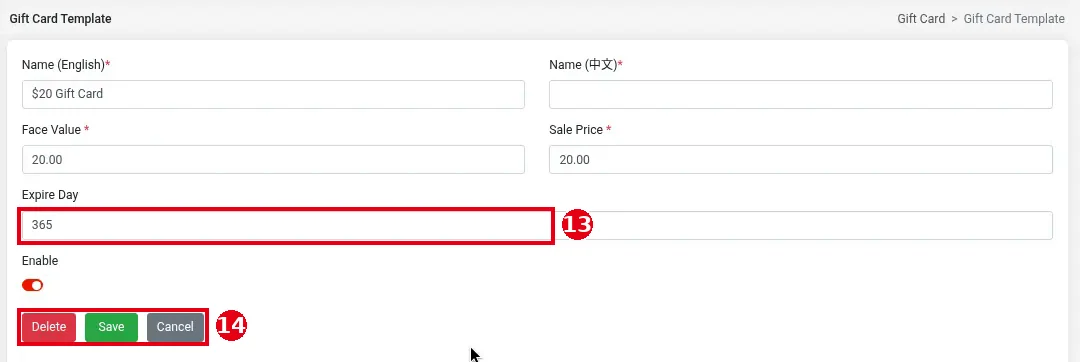
To edit a template, click its pencil in the list. The page has the same fields as a new template (e.g. ⑬ Expire Day set to 365), plus Delete in ⑭ (deletes the template); click Save when done (or Cancel). Templates have no PIN field; PIN gift cards are added by importing them (see 2.10.3 How to import PIN gift cards).
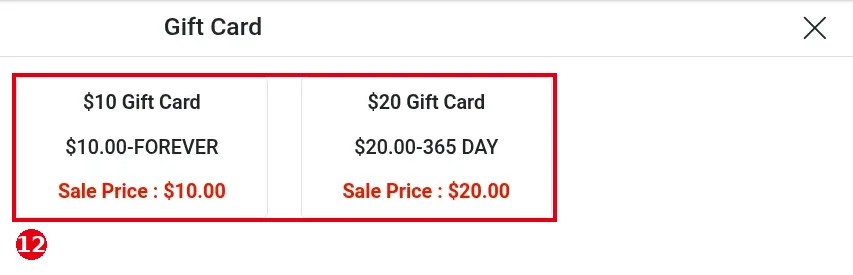
4. Once saved, the template appears on the POS Gift Card screen ⑫ with its name, value and expiry (e.g. $10.00-FOREVER, $20.00-365 DAY) and Sale Price. For how staff sell it, see 1.11.1 How to sell a gift card.
Notes / FAQ #
-
For values that aren’t in a template, staff can use Custom on the POS (see 1.11.1 How to sell a gift card).
-
Editing a template doesn’t affect cards already sold. A disabled template (Enable off) doesn’t appear in the POS gift card sale list.
-
Sold cards are listed under Gift Card Records; see 2.10.2 How to view, export and freeze gift card records.


