
Purpose: Count the starting cash (float) in the drawer at the start of a shift and record it (Cashier In) so the drawer can take cash. For: cashiers, managers. Hardware: cash drawer.
Steps #
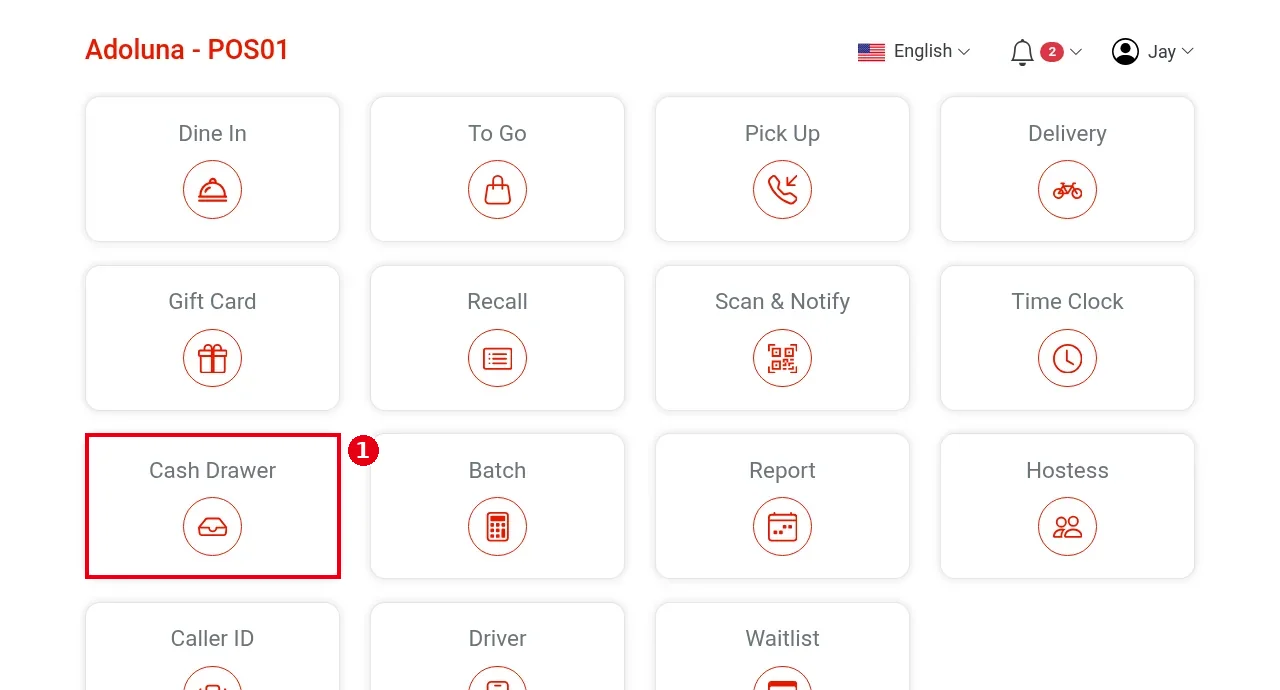
1. On the home screen tap Cash Drawer.
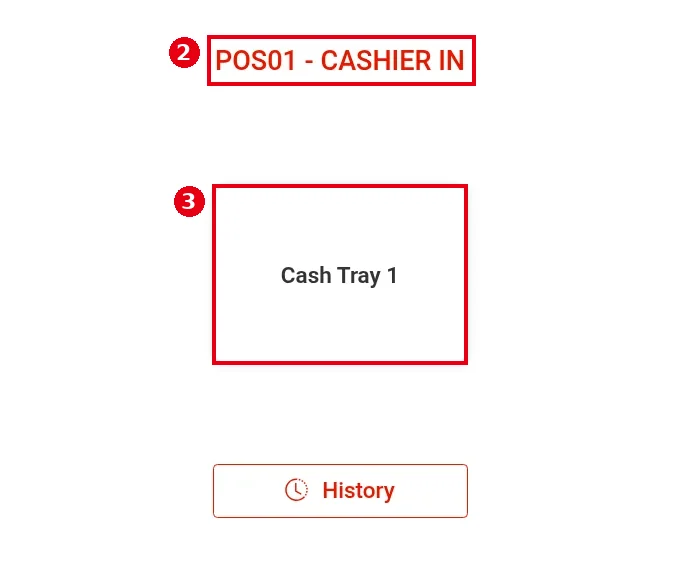
2. The Cashier In/Out screen opens. The heading shows this POS and the action available: POS01 – Cashier In means no drawer is cashiered in on this POS, so you can start one.
3. Tap the drawer to use (e.g. Cash Tray 1). This is where the cash drawer is chosen: after Cashier In, this POS uses this drawer (Backoffice drawer setup: 3.3.6 How to set up a cash drawer).
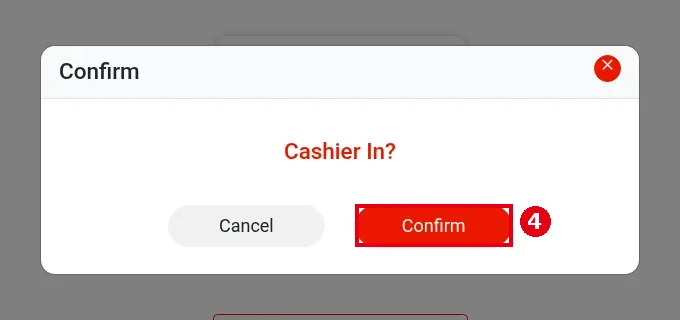
4. At Cashier In?, tap Confirm.
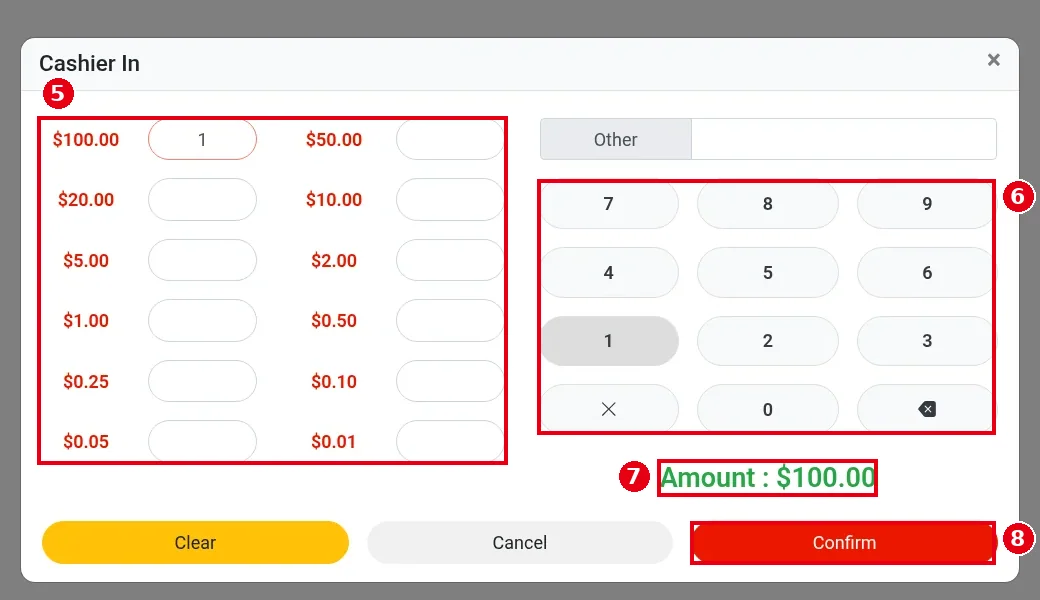
5. The Cashier In count form opens. On the left, enter the count for each denomination: $100.00, $50.00, $20.00, $10.00, $5.00, $2.00, $1.00, $0.50, $0.25, $0.10, $0.05, $0.01. Tap a denomination’s box, then type the number of bills or coins on the keypad (e.g. 1 for $100.00).
6. Cash you don’t count by denomination can go in the Other box at the top right. Other takes an amount, and the keypad enters cents (e.g. press 2, 1, 9, 0, 2 for $219.02).
7. The green Amount below shows the running total (e.g. Amount : $100.00). Clear clears everything; Cancel goes back.
8. When it’s correct, tap Confirm.
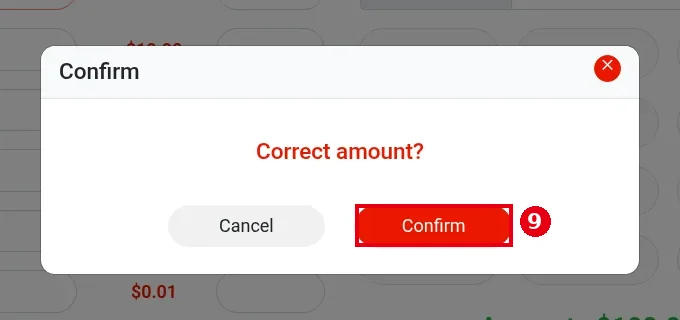
9. At Correct amount?, tap Confirm.
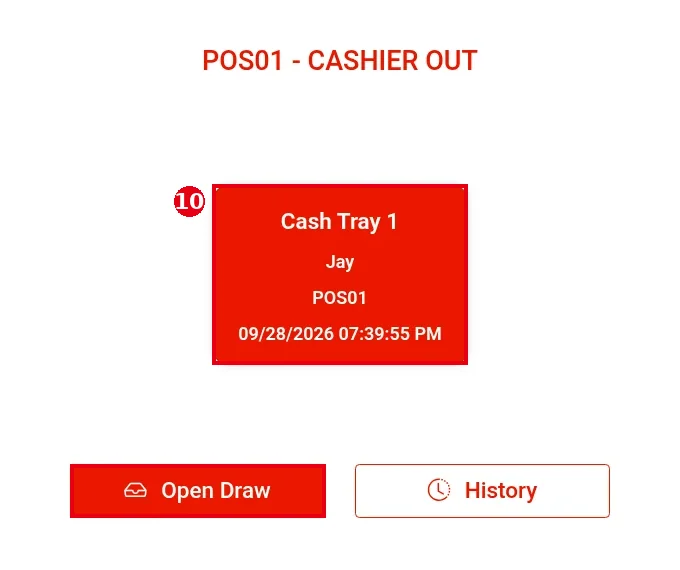
10. The drawer is cashiered in. The heading changes to POS01 – CASHIER OUT, and the drawer card shows the drawer name, the employee, the POS and the cashier-in time (e.g. Cash Tray 1 / Jay / POS01 / 09/28/2026 07:39:55 PM). Open Draw (see 1.5.5 How to open the cash drawer without a sale) and History appear below.
Notes / FAQ #
-
A POS must be cashiered out before it can be cashiered in again. If the heading shows POS01 – CASHIER OUT when you open Cash Drawer, a drawer is still cashiered in on this POS (possibly one nobody closed earlier). Close it first as in 1.5.4 How to close out a cash drawer (Cashier Out), then cashier in.
-
The cashier-in is recorded under the employee logged in to the POS (e.g. Jay).
-
Cashier In only asks you to confirm the amount; there is no over/short check. Over/short is worked out at Cashier Out (see 1.5.4 How to close out a cash drawer (Cashier Out)).
-
Open Draw is available only while a drawer is cashiered in; otherwise the screen shows only History.


