Purpose: Let a guest pay with a store gift card. For: cashiers, servers. Swiping a magnetic-stripe gift card needs a magnetic card reader (MSR).
Steps #
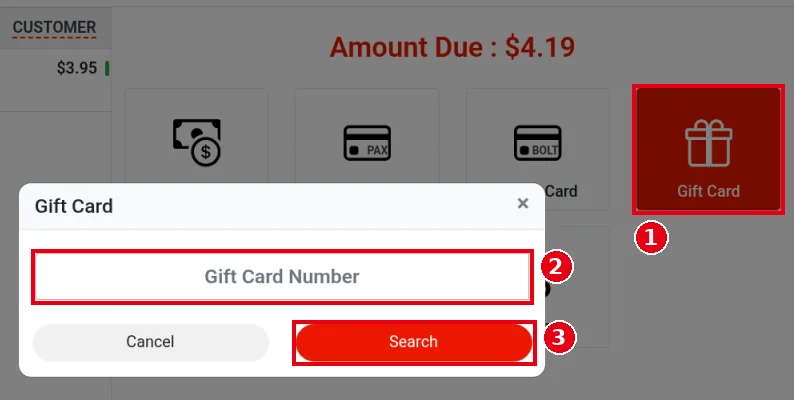
1. Open the order’s Settle screen (see 1.2.12) and tap ① Gift Card.
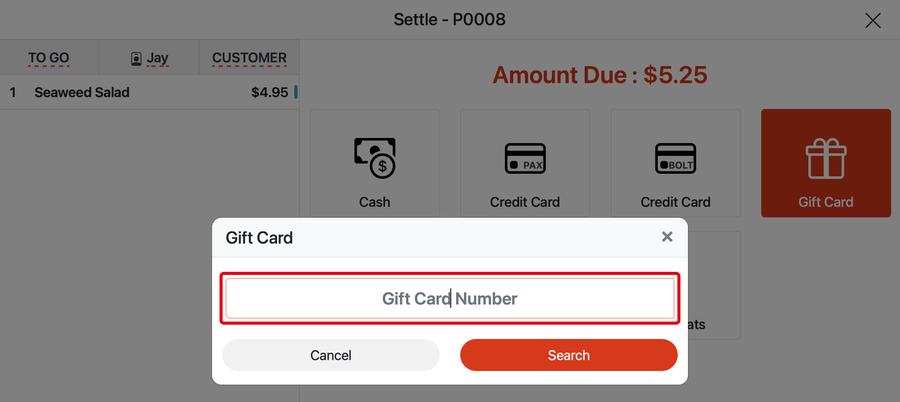
2. The Gift Card window opens. Enter the card number in the ② Gift Card Number field. Swiping the card on a magnetic stripe reader fills in the number automatically. For now this needs a standalone magnetic stripe reader: PAX and BOLT terminals can’t read gift cards (reading gift cards on the VP3350 is planned but not available yet).
3. Tap ③ Search to look up the card (Cancel to go back).
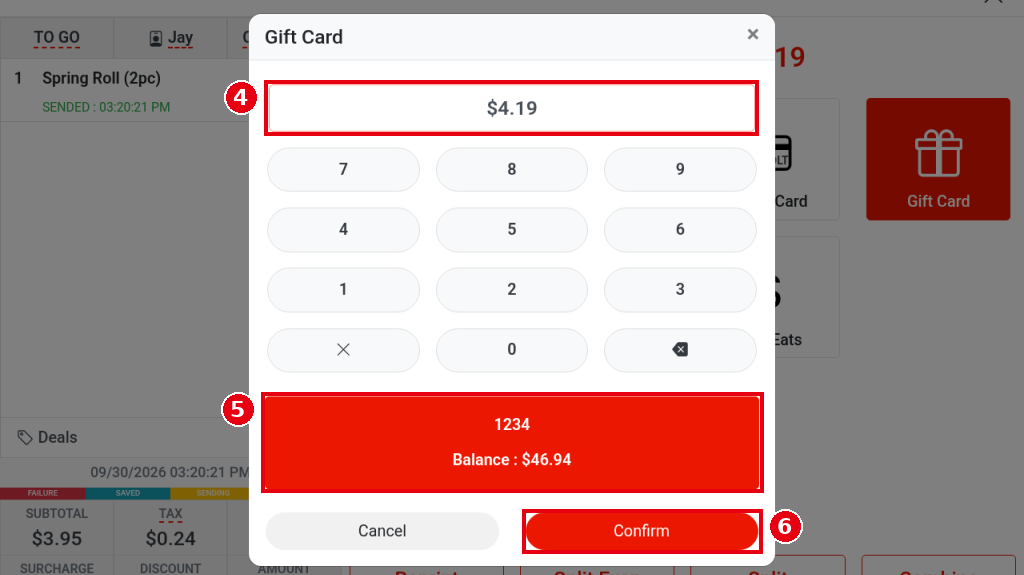
4. Once the card is found, the window turns into a keypad: ④ the amount field defaults to the amount due (e.g. $4.19); lower it to pay only part with the gift card. ⑤ The red card below shows the card number and balance (e.g. 1234, Balance : $46.94). Tap ⑥ Confirm to charge the card.
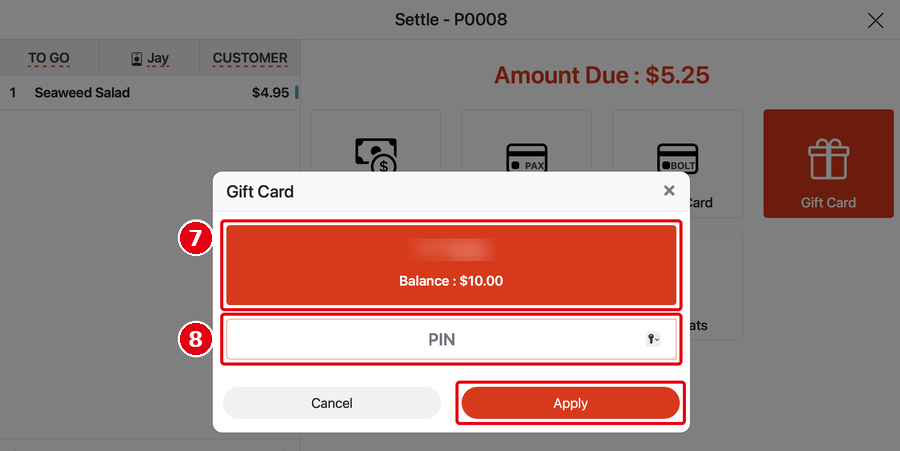
5. For a PIN gift card, after the card is found the POS asks for the PIN first: ⑦ the (partly masked) card number and balance, ⑧ enter the PIN and tap Apply.
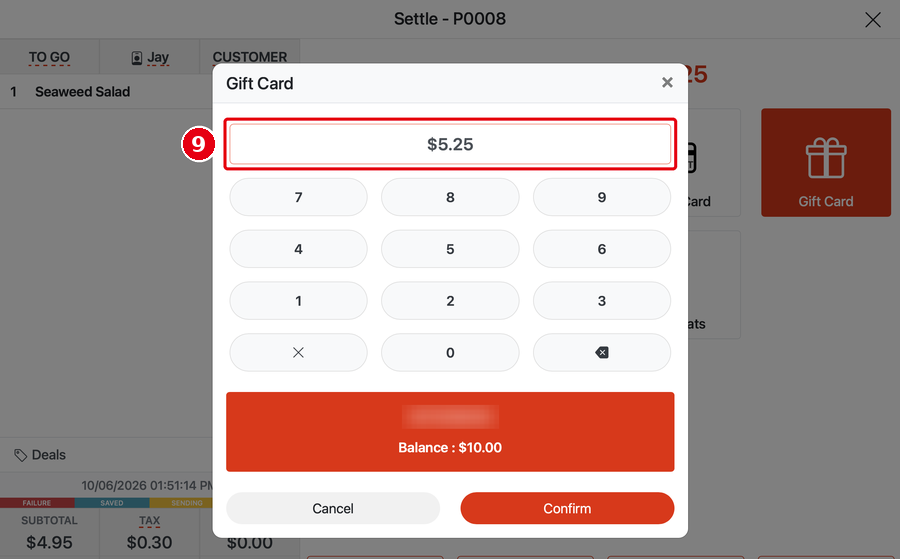
Then the amount keypad opens (⑨ amount defaults to the amount due; the red bar shows the card number and balance); tap Confirm to charge.
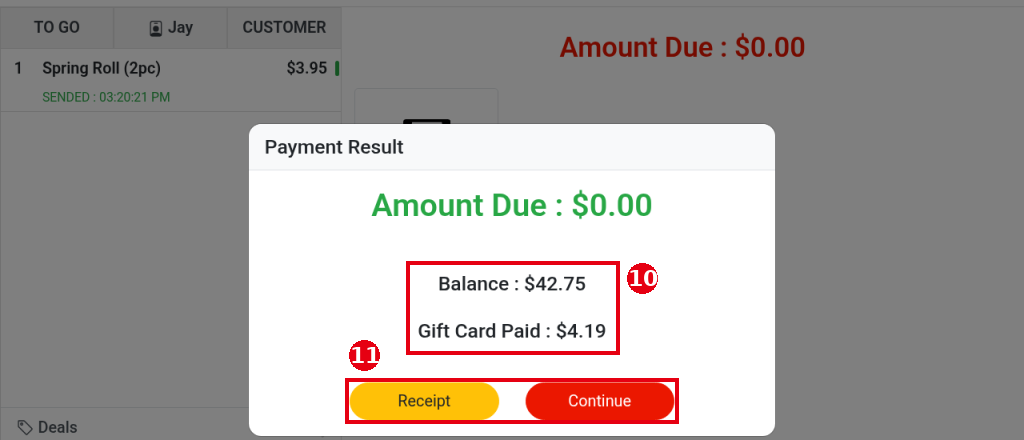
6. When the payment goes through, Payment Result opens: Amount Due : $0.00, and ⑩ the remaining card balance and the amount paid (e.g. Balance : $42.75, Gift Card Paid : $4.19). ⑪ Tap Receipt to print a receipt, or Continue to close the window.
Notes / FAQ #
-
PIN gift cards are supported (cards without a PIN are supported too). Card numbers and their PINs must first be imported on the back-office gift card management screen before they can be sold or used. When paying with a PIN gift card, the POS asks for the PIN.
-
If the card balance is lower than the amount due, the card balance is used up first and the rest is paid another way (see 1.3.5 How to take a partial or split-tender payment).
-
The customer receipt shows Gift Card Balance.
-
Selling a gift card: see 1.11.1 How to sell a gift card; checking a balance: see 1.11.2 How to check a gift card balance; reloading: see 1.11.3 How to reload a gift card.
-
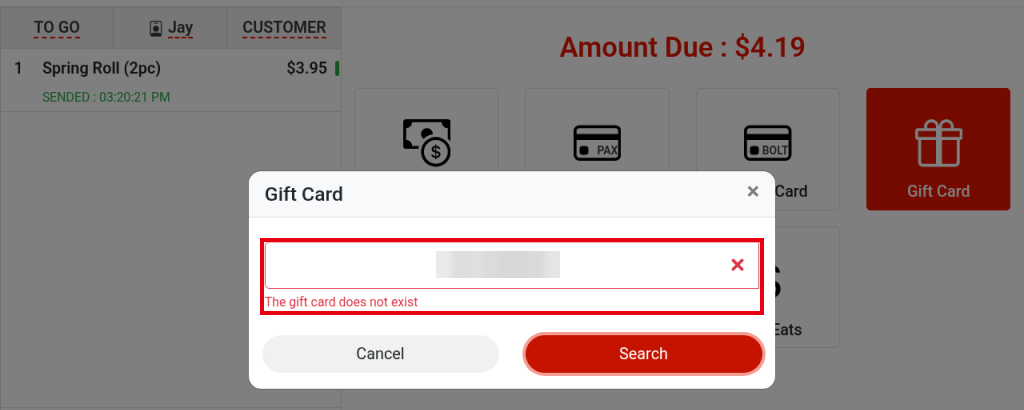
If The gift card does not exist appears under the number after you tap Search, that number isn’t in the system. Check the number and enter it again; new cards must be imported in the back office before they can be used (see the first note).