
Purpose: Print the order round on kitchen tickets so the kitchen can tell which add-on round of a table’s order it is. For: owners, managers.
Steps #
1. In the Backoffice left menu, click Service, choose the Other tab and scroll to the bottom.
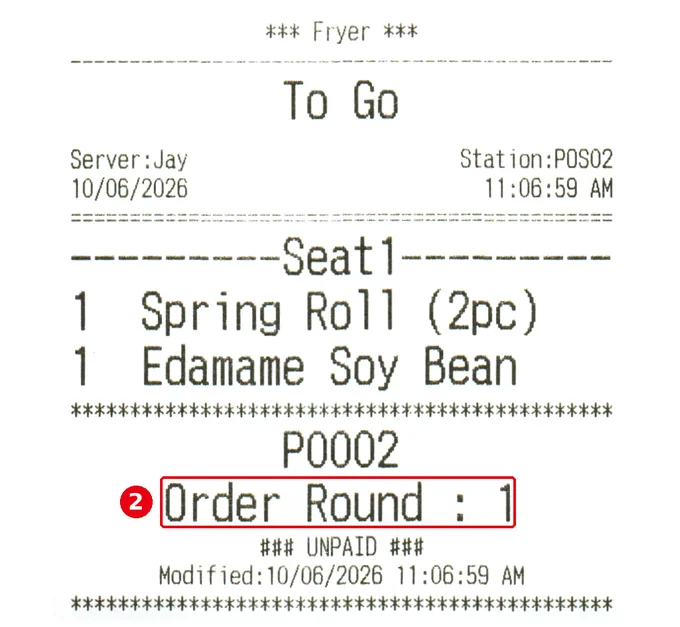
2. Turn on ① Show Order Round on Kitchen Receipt. It’s off in the demo store. The switch takes effect immediately.

Each Send counts as one round, and the kitchen ticket shows ② Order Round : n below the order number at the bottom (e.g. Order Round : 1).
Notes / FAQ #
-
Repeated add-ons from one table are common with buffets (see 2.6.3 How to set buffet time limits and ordering intervals) and Scan to Order (see 2.6.2 How to set up Scan to Order).
-
For resending to the kitchen, see 1.4.2 How to resend or reprint an order.
-
For kitchen printers and printer mappings, see 3.3.3 How to set up printer mapping and route items to kitchen printers.


