
Purpose: Reopen a paid order to add or change items, then collect the difference (Reopen). For: cashiers, managers.
Steps #
1. In Recall, select Paid and find the order (see 1.4.1), open Order Detail and tap ① Reopen.
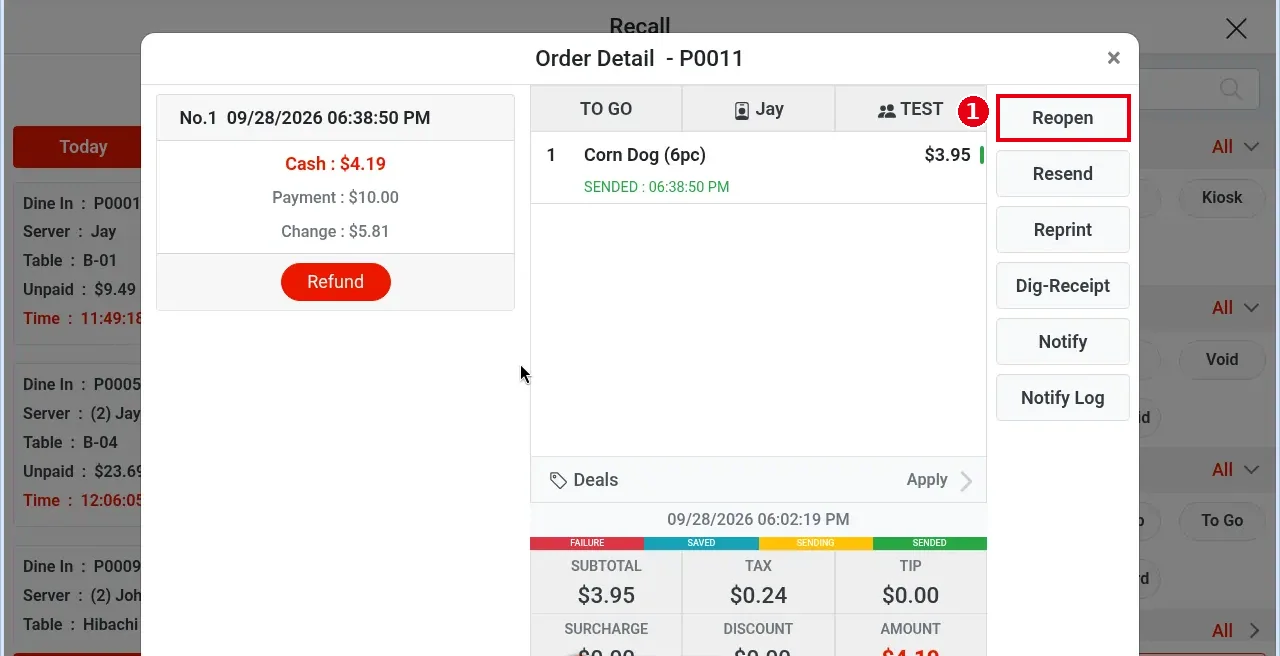
2. The order reopens at once (no confirmation):
-
Reopen becomes ② Reclose;③
-
the existing payment is kept, and the button under it changes from Refund to Void;
-
Edit, Void, Settle and other buttons appear on the right.
3. Tap ④ Edit to open the order screen and make changes (e.g. add French Fries).
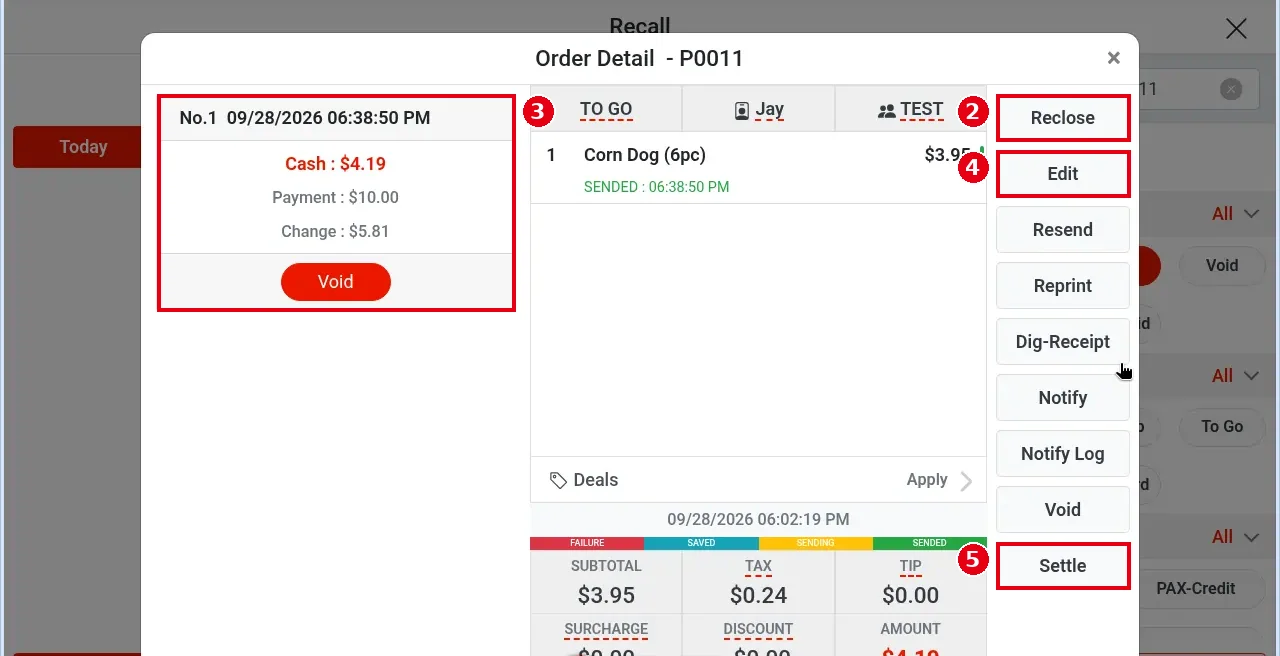
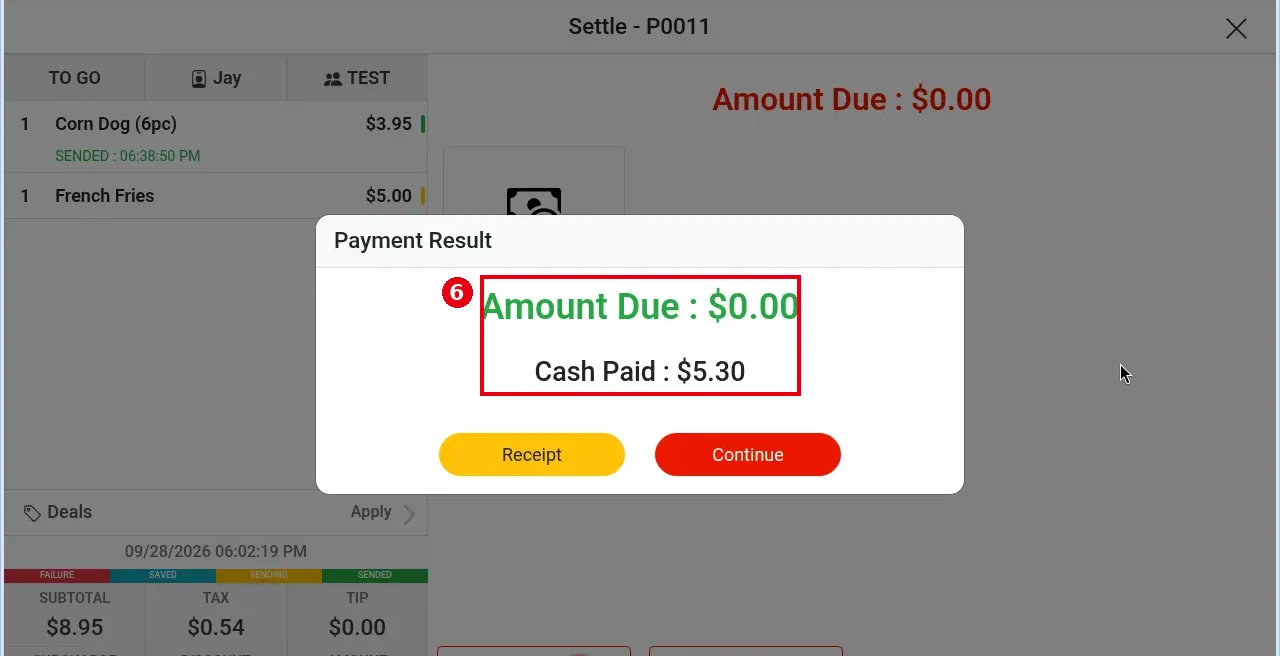
4. Then tap ⑤ Settle. Amount Due shows only the added difference (e.g. $5.30); collect it with any payment type (see 1.3.1). After payment the result shows ⑥ Amount Due : $0.00, Cash Paid : $5.30, and the order is paid again.
5. If no changes are needed after reopening, tap Reclose to close the order again as it was; the original payment stays unchanged.
Notes / FAQ #
-
Reopening does not undo existing payments; after changes, Settle collects only the difference.
-
In Recall, the Reopen chip under Order Status filters reopened orders.
-
Voiding a paid order also starts with Reopen, see 1.4.6. Refunds do not need reopening, see 1.4.7.
-
If you remove items after reopening and the new total is lower than what was paid, refund the difference on the matching payment (see 1.4.7 How to refund an order). If it was paid on PAX, void the whole payment and take the payment again, because PAX can’t refund or change the amount of an existing transaction (see step 3 of 1.4.6 How to void a paid order).


