
Purpose: Switch the POS screen between English, 中文 (Chinese) and Español. For: all front-of-house staff.
Steps #
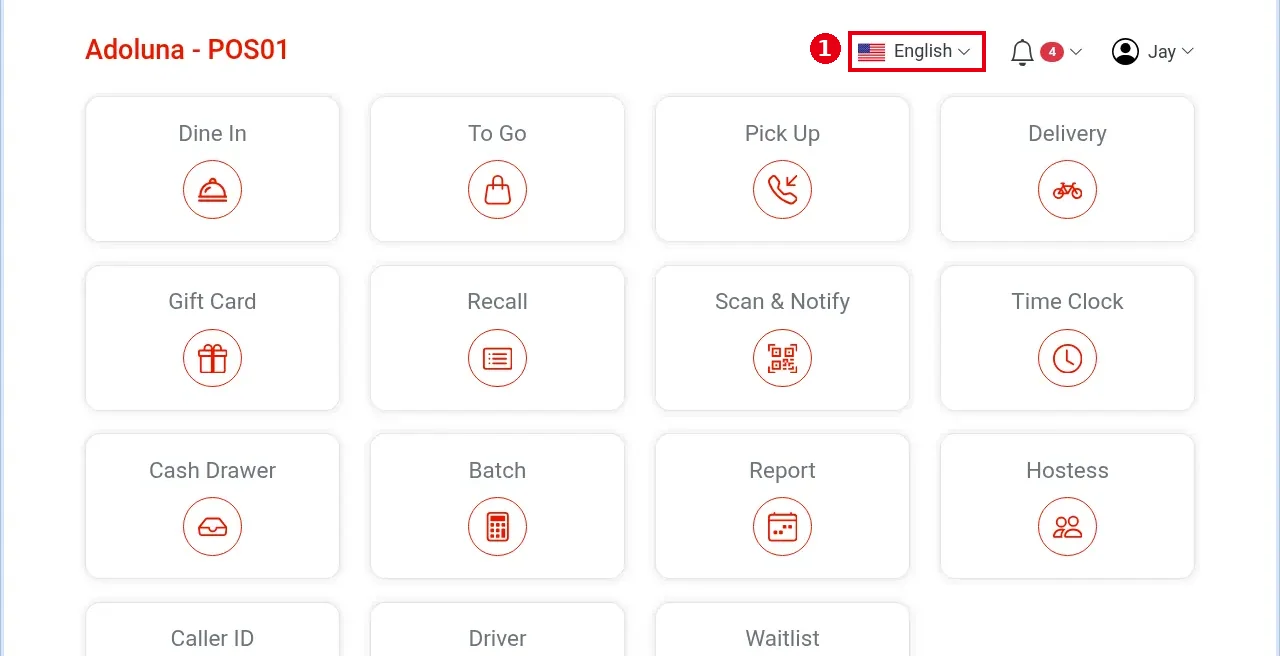
1. On the home screen, tap the current language at top right (e.g. English).
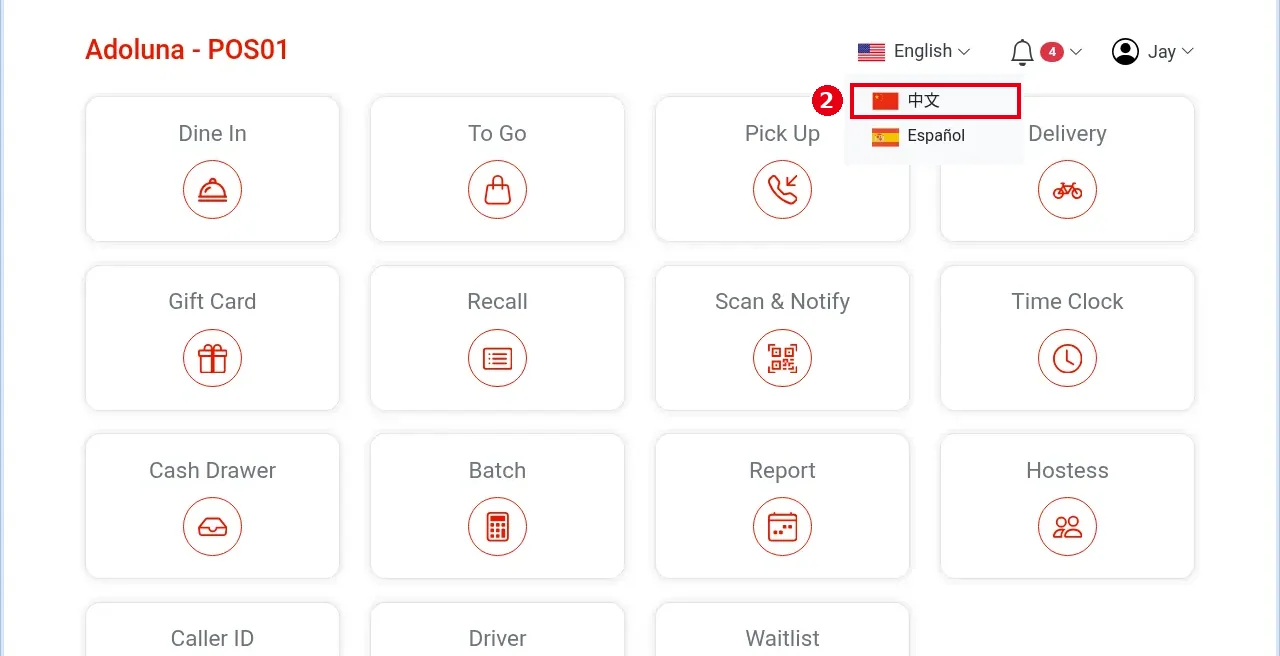
2. Pick a language from the menu, e.g. 中文. The menu lists only the other languages (here 中文 and Español); the current language is shown on the button, not in the list.
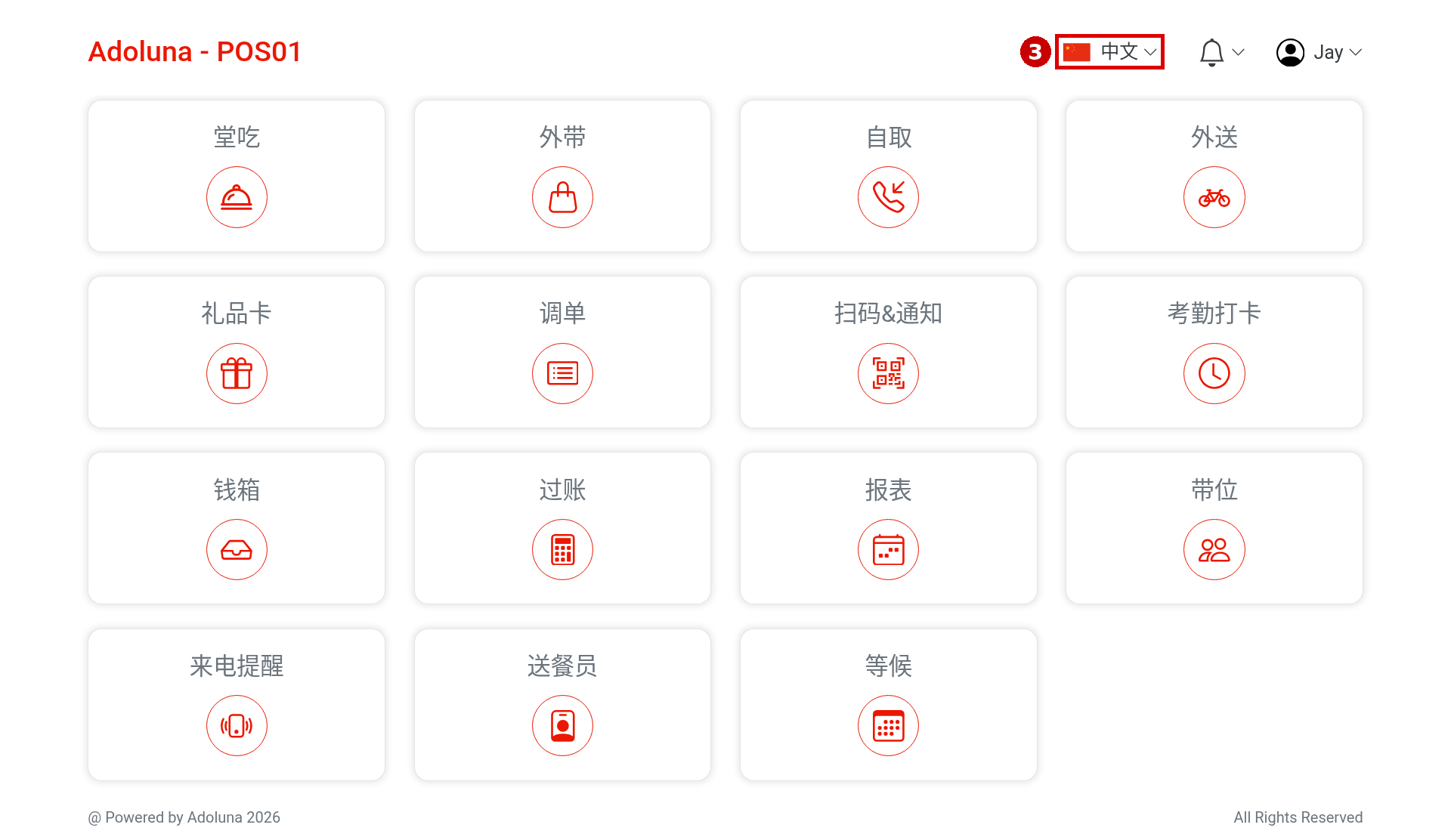
3. The screen switches right away: top right shows 中文 and the buttons turn Chinese (e.g. 堂吃, 外带, 自取, 外送). To switch back, tap it again and choose English.
Notes / FAQ #
-
This manual uses the English UI; see 1.1.2 for the Chinese button names.
-
When an employee logs in, the screen switches to that employee’s language setting; they can still switch at any time with the steps above. Refreshing does not change the current language.
-
Switching the screen language does not log the employee out. If you find yourself logged out after switching, most likely either someone has signed in with the same employee passcode on another device (one passcode can be signed in on only one device at a time), or this POS has The Cashier Only Needs to Login Once turned off, so the employee is logged out automatically whenever the POS returns to the home screen (see 3.2.2 How to create POS and Kiosk devices in the Backoffice, 1.1.1 How to log in and out of the POS).
-
The screen language does not affect receipts. The second language printed on receipts is set separately in the back office and has nothing to do with the POS screen language.


