
Purpose: Take a delivery order: record the customer and delivery address, then order. For: staff answering the phone.
Steps #
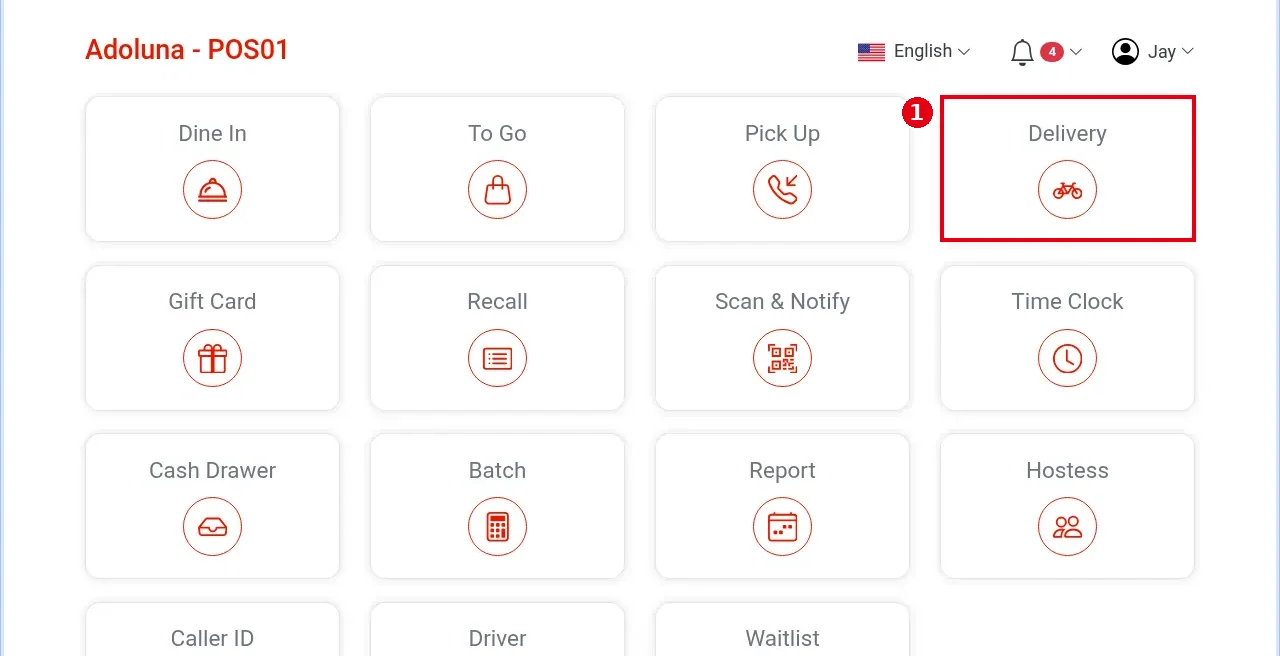
1. On the home screen tap Delivery.
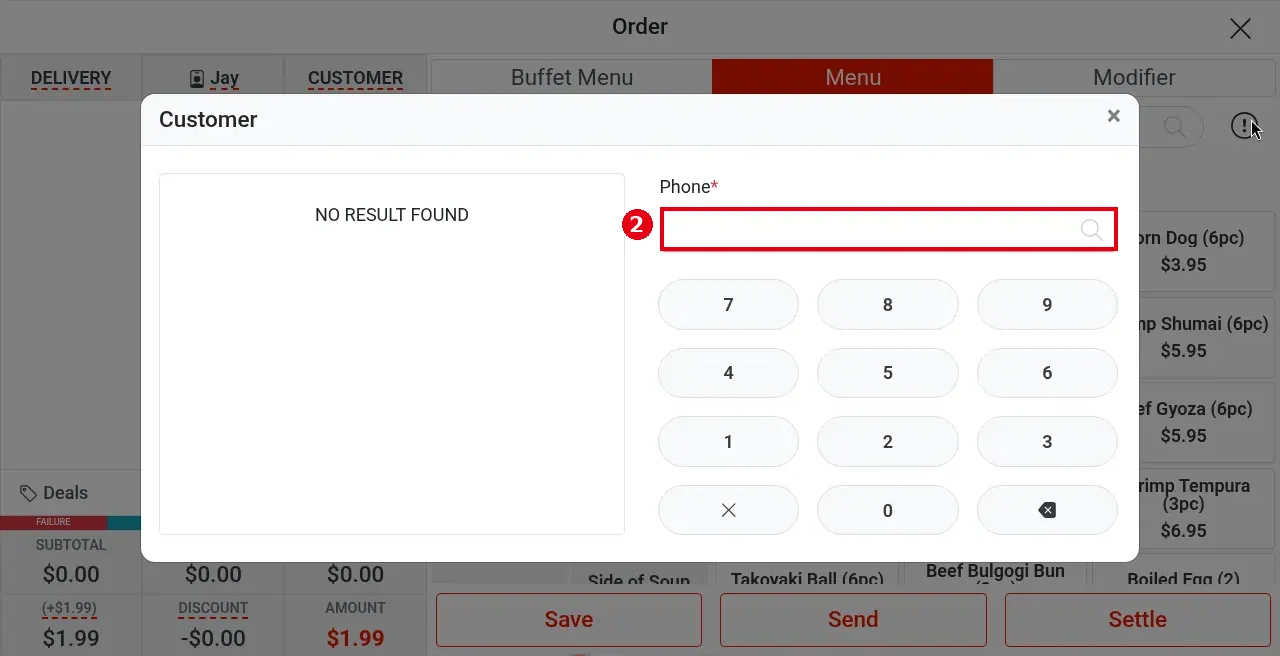
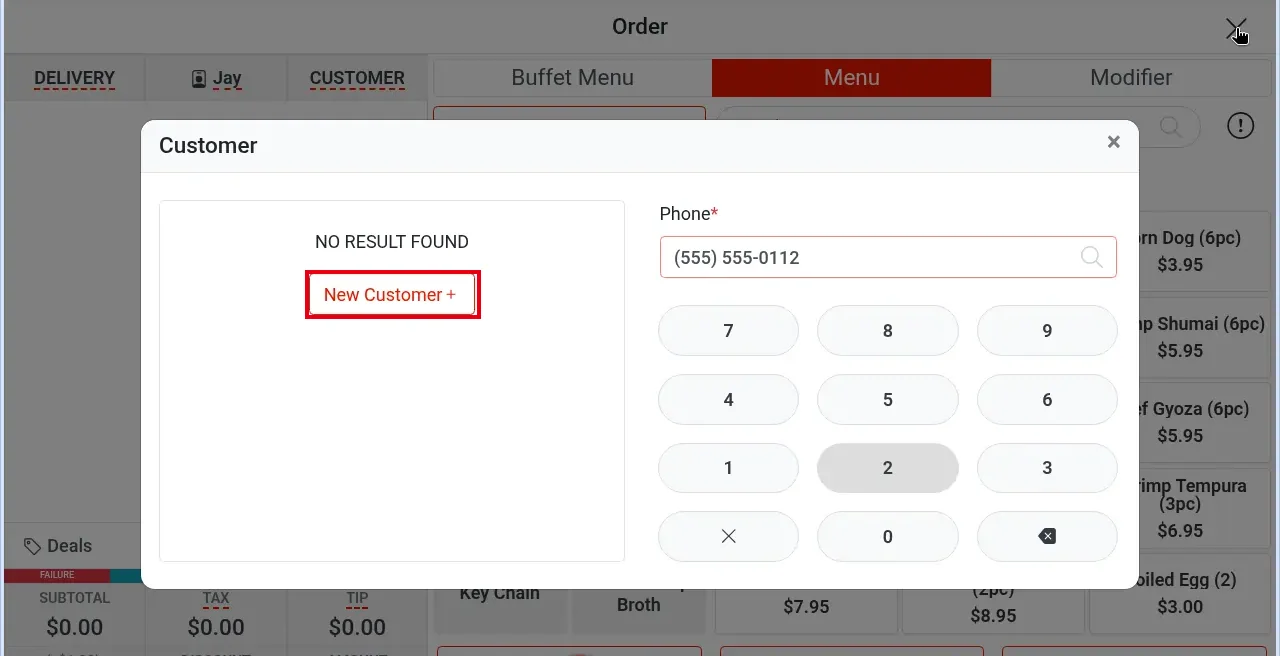
2. In the Customer lookup type Phone* on the keypad; tap the matching customer on the left; if the number isn’t found, tap New Customer + (see Notes below). Delivery orders require customer info (phone, name, address), so the lookup has no Skip.
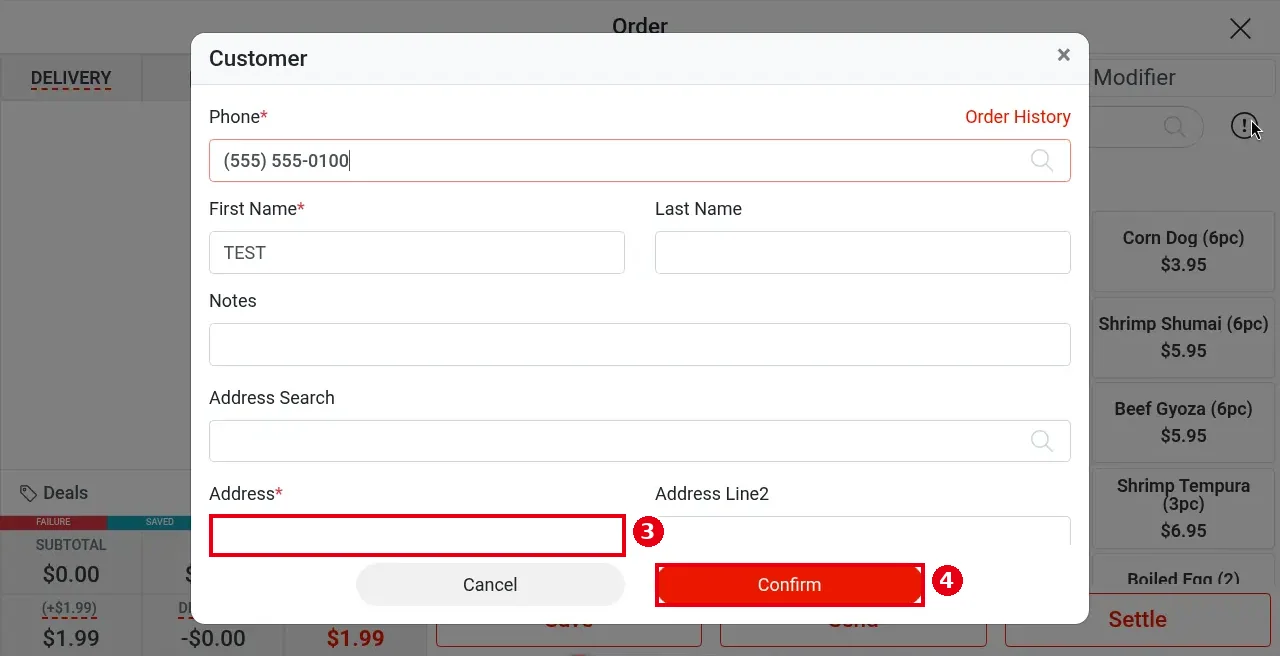
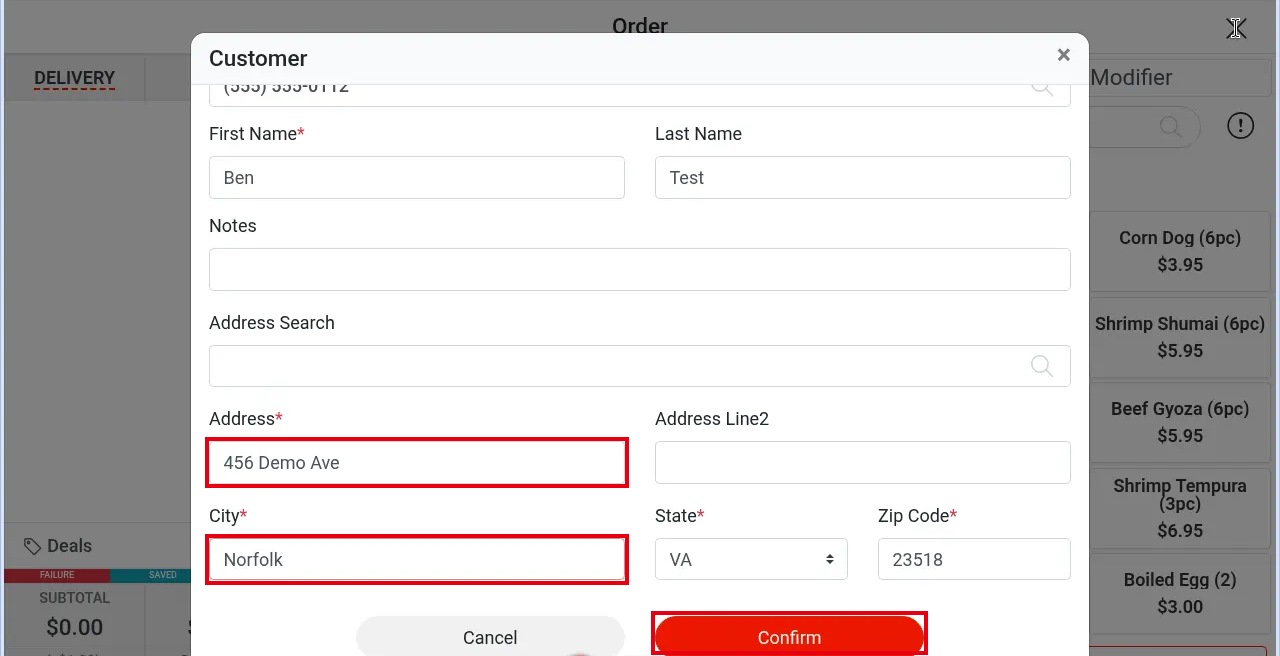
3. In the Customer form fill in the delivery address: Address* is required for delivery (you can use Address Search); check City, State, Zip Code.
4. Tap Confirm.
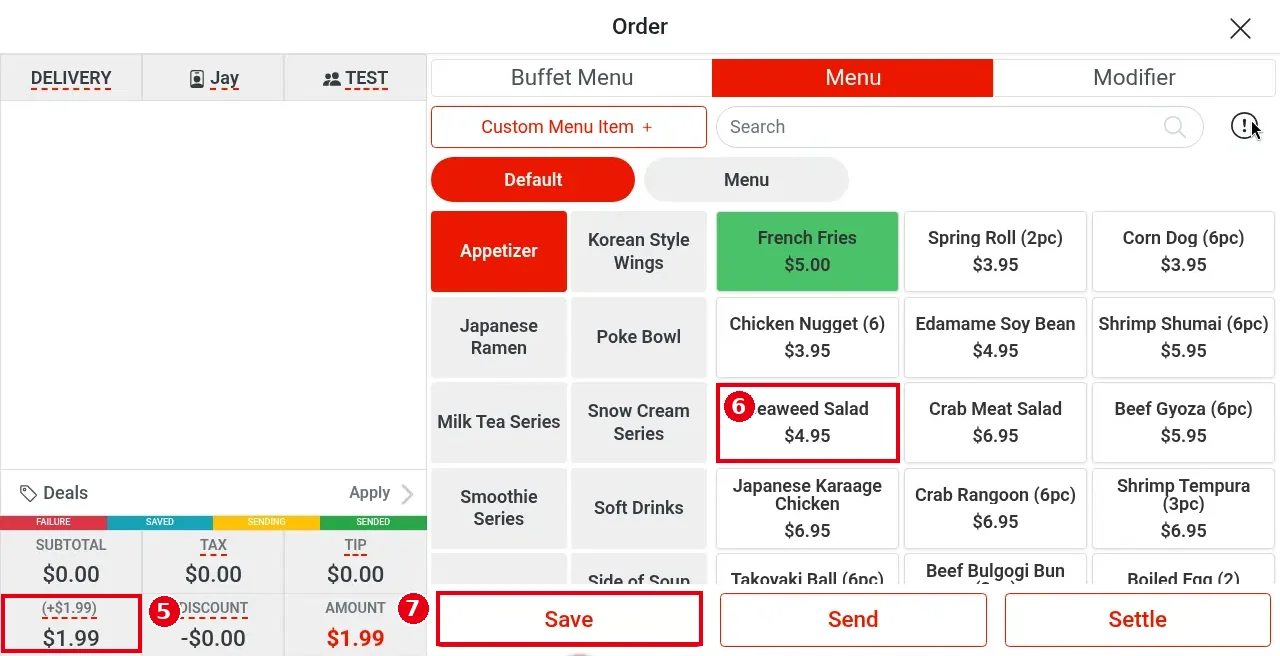
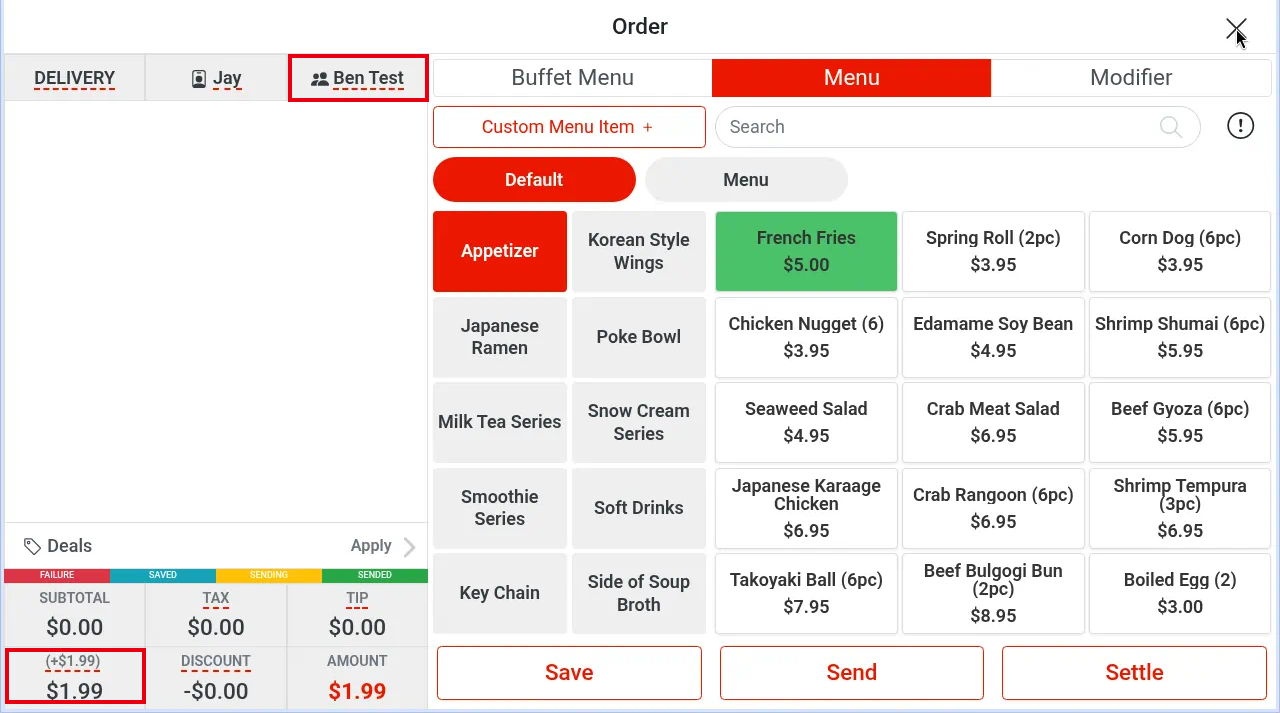
5. Back on the order screen, a delivery fee is added at bottom left (e.g. (+$1.99) / $1.99).
6. Tap items (e.g. Seaweed Salad).
7. Tap Save (or Send).
Notes / FAQ #
-
Delivery orders require customer info (phone Phone*, name First Name*, address Address*); that is why the lookup has no Skip button (Pick Up and To Go show it while the phone field is empty).
-
Creating a new delivery customer when the number isn’t found:
-
The left side shows NO RESULT FOUND and New Customer +. Tap New Customer + (delivery has no Skip; the delivery fee (+$1.99) already shows at the bottom).
-
Enter the name and delivery address (e.g. Ben / Test, 456 Demo Ave). City is pre-filled with the store’s city (e.g. Norfolk); check State and Zip Code, then tap Confirm.
-
Back on the order screen, the third header cell shows the customer (e.g. Ben Test) and the delivery fee shows at the bottom.
-
-
City was pre-filled with Norfolk. The default city comes from the store address.
-
The delivery fee shows where SURCHARGE normally is, labelled (+$1.99). The delivery fee is set in the back office under Service > Delivery. It can be changed on the order screen, or by opening the order details from Recall.
-
The delivery Customer form has no Tent button.
-
Sample order P0004: customer TEST, 123 Test St, Seaweed Salad + $1.99 delivery fee, total $7.24.
-
Assigning a driver: see 1.10.1 How to assign a driver to a delivery order; marking the delivery as arrived: see 1.10.2 How to mark a delivery as arrived.


