
Purpose: Check the sync history with third-party delivery platforms (via Deliverect), and learn what the Sync Menu and Google Sync buttons on the page do. For: owners, managers, Adoluna onboarding staff.
Before you start: orders from platforms such as DoorDash and Uber Eats reach the POS through Deliverect (official product page). Adoluna activates Deliverect and links the store; the merchant provides an email address and the link to their store on each delivery platform. For supported platforms, see the Deliverect website. For how staff handle third-party orders on the POS, see 1.9.3 How to handle third-party delivery orders (Deliverect).
Steps #
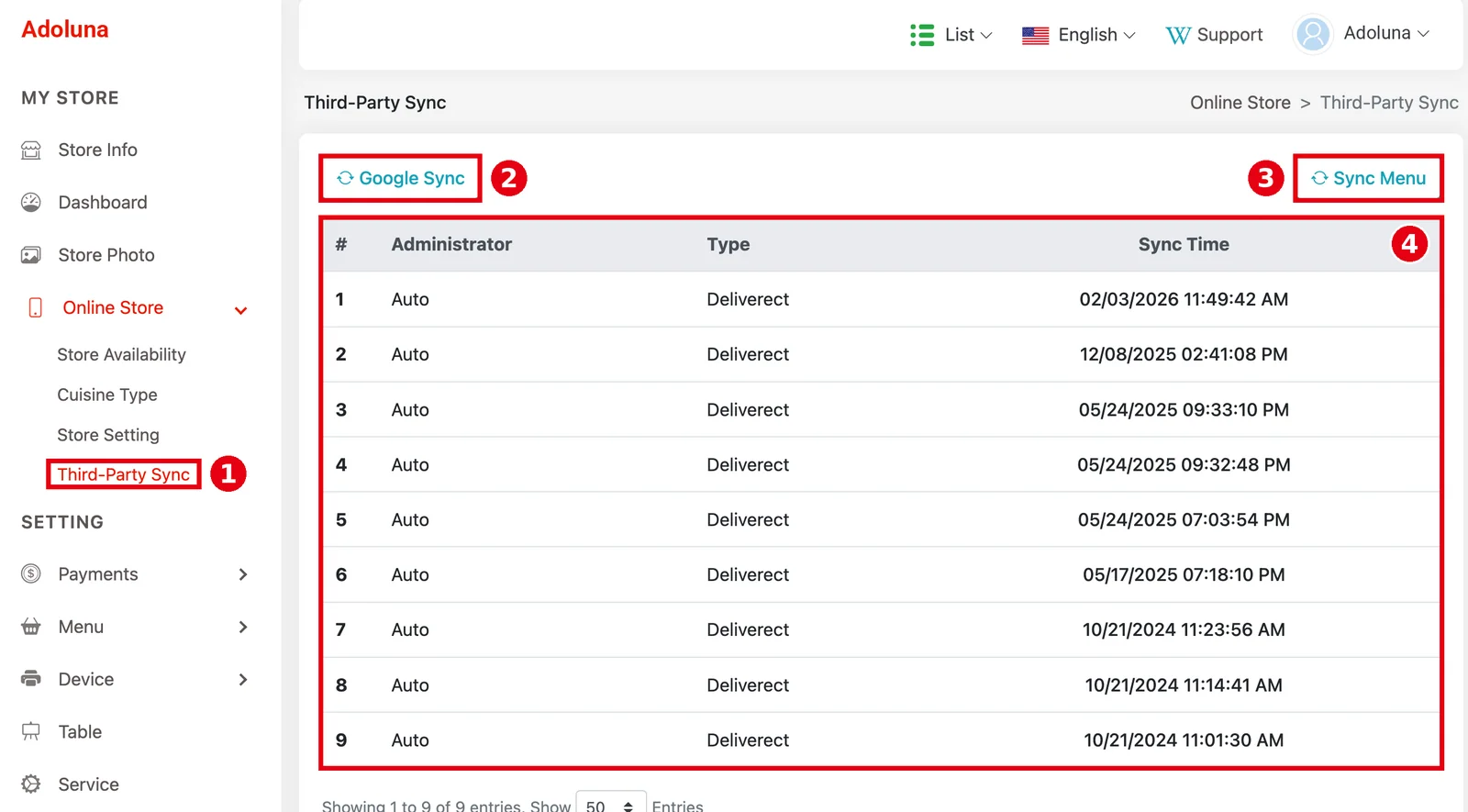
1. In the Backoffice left menu, click Online Store > ① Third-Party Sync. The ④ list is the sync history, with the columns #, Administrator (Auto in every row in the screenshot), Type (Deliverect in every row) and Sync Time. Entries can’t be opened for details. Administrator is who performed the sync, and Type is the platform synced. Deliverect syncs are always started from the Deliverect platform, which pulls the menu from our system, so every record shows Auto. Menu changes aren’t pushed automatically; Deliverect pulls them.
2. ③ Sync Menu at the top right pushes the menu from our system to another platform. Adoluna currently integrates only with Deliverect, which pulls the menu itself, so this button has no use at present. Don’t rely on it to update the menu on third-party platforms.
3. ② Google Sync at the top left pushes the restaurant’s menu and store info to its Google Business listing. This feature is still being finished and isn’t recommended for now.
Notes / FAQ #
-
Deliverect pulls the menu for the third-party platforms from our system, so you don’t need to click Sync Menu.
-
Third-party scheduled orders share Order Prepare Time with the online store for how early they go to the kitchen; see 2.9.4 How to set the prep time for scheduled orders.
-
For what to do when a third-party order doesn’t reach the POS, see 4.6.1 What to do when an online or third-party order doesn’t reach the POS.


