
Purpose: Merge one or more unpaid orders into a main order and pay them together (Combine). For: servers, cashiers.
Steps #
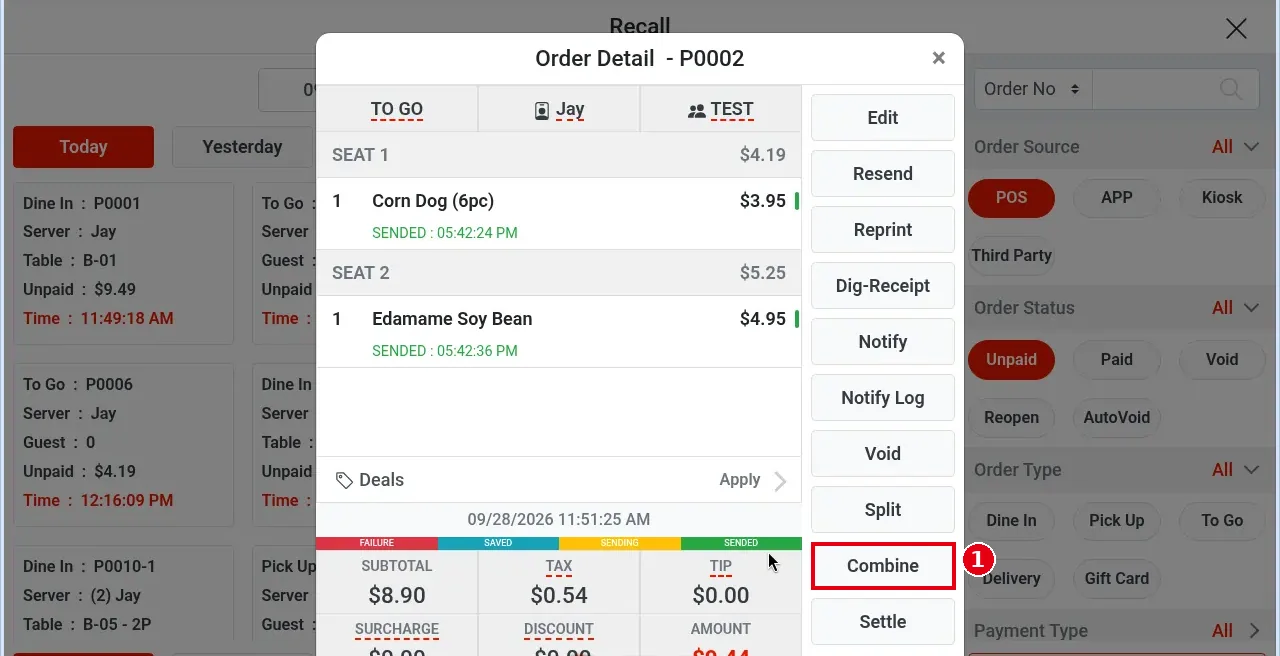
1. Open Order Detail of the main order you want to keep (e.g. P0002) and tap ① Combine. The Settle screen also has Combine at the bottom.
2. The Combine – P0002 window opens: ② search at the top (e.g. by Order No); the three drop-downs below filter by order source (e.g. POS), order type (e.g. Pick Up) and Server. Matching unpaid orders are listed below.
3. Tap ③ the order to merge in (e.g. P0003); the selected card turns red.
4. Tap ④ Confirm (Clear clears the selection, Cancel closes).
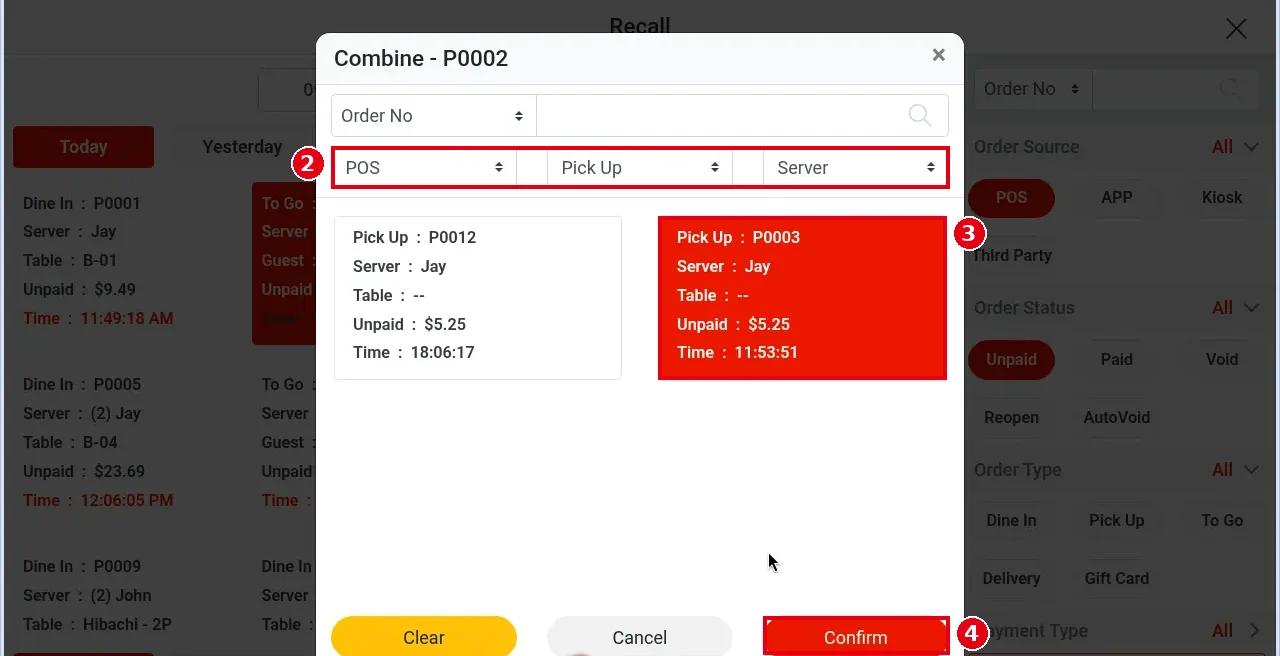
5. Combining orders will void discounts and charges. Continue? appears; confirm to merge.
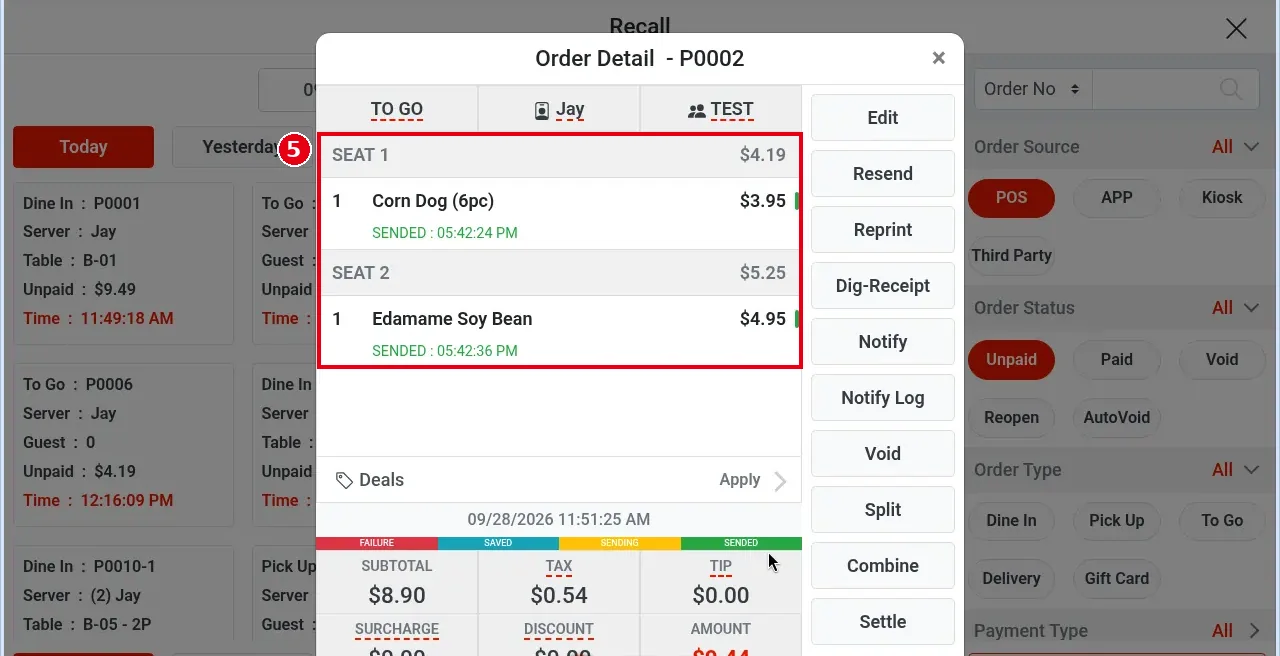
6. Only the main order remains (e.g. P0002, AMOUNT now $9.44). ⑤ Items are grouped by seat: SEAT 1 holds the main order’s original items, SEAT 2 the merged-in items. The main order keeps its type and customer (e.g. still TO GO).
Notes / FAQ #
-
The merged-in order (e.g. P0003) is moved to AutoVoid; to find it, choose AutoVoid under Order Status in Recall (see 4.6.4 Why can’t I find the original order after combining?, 1.4.1 How to find an order in Recall). A combine can’t be undone.
-
Combining voids the discounts and charges on the orders; add them again afterwards if needed (see 1.2.10).
-
To split one order into several, see 1.3.7.


