
Purpose: Send items to the kitchen again when a kitchen ticket did not print or another copy is needed (Resend), or reprint the order receipt (Reprint). For: servers, cashiers.
Steps #
1. Open the order’s Order Detail (tap the table on the table map, or find the order in Recall, see 1.4.1).
2. To resend to the kitchen tap Resend; to reprint tap Reprint (see step 6).
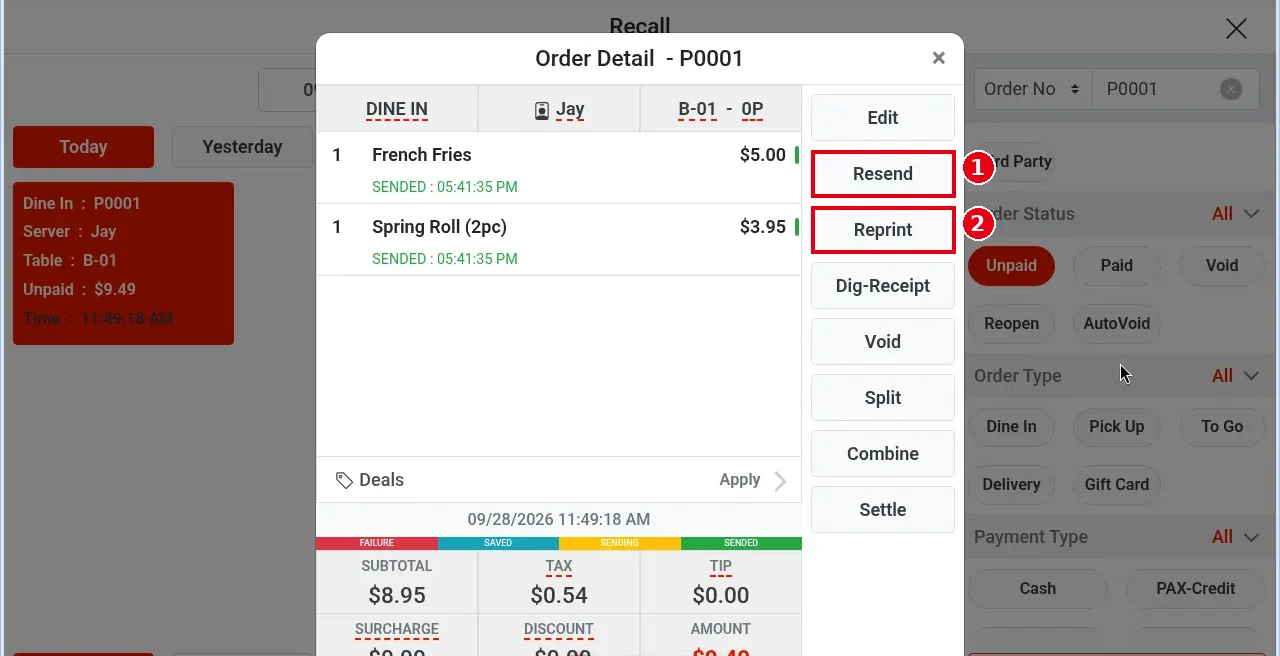
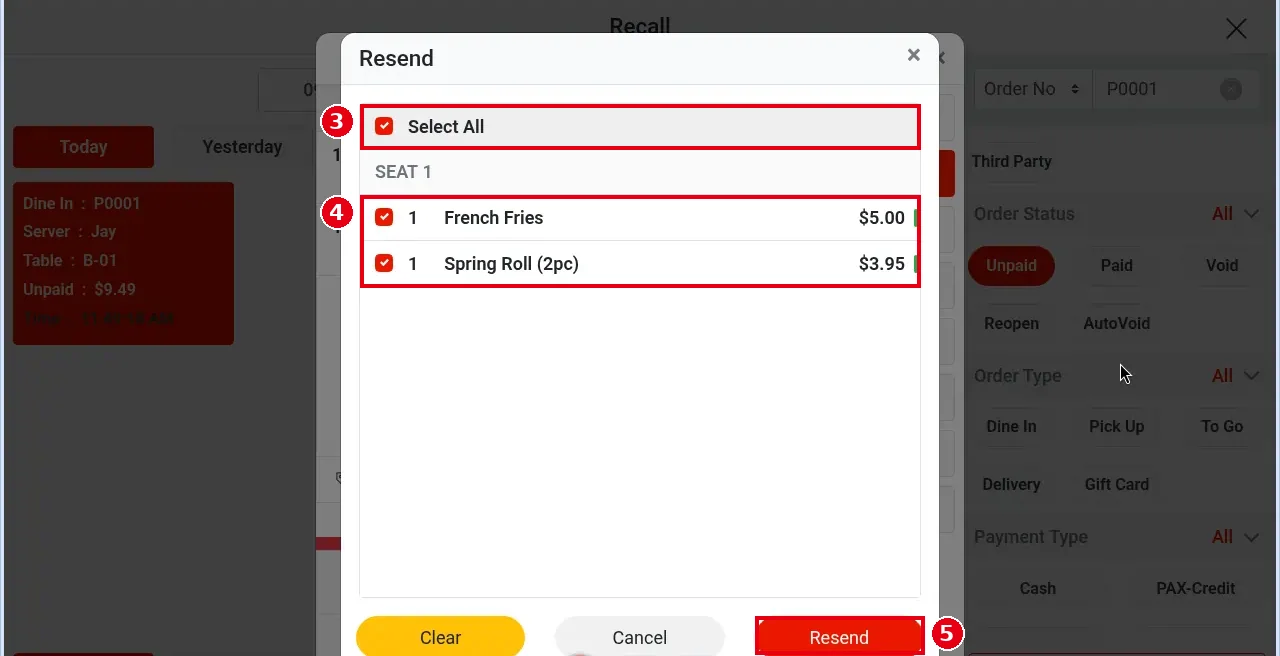
3. Resend opens a window listing the sent items by seat (e.g. French Fries and Spring Roll (2pc) under SEAT 1).
4. Tick the items to resend, or tick Select All (Clear removes the ticks).
5. Tap Resend (Cancel to go back).
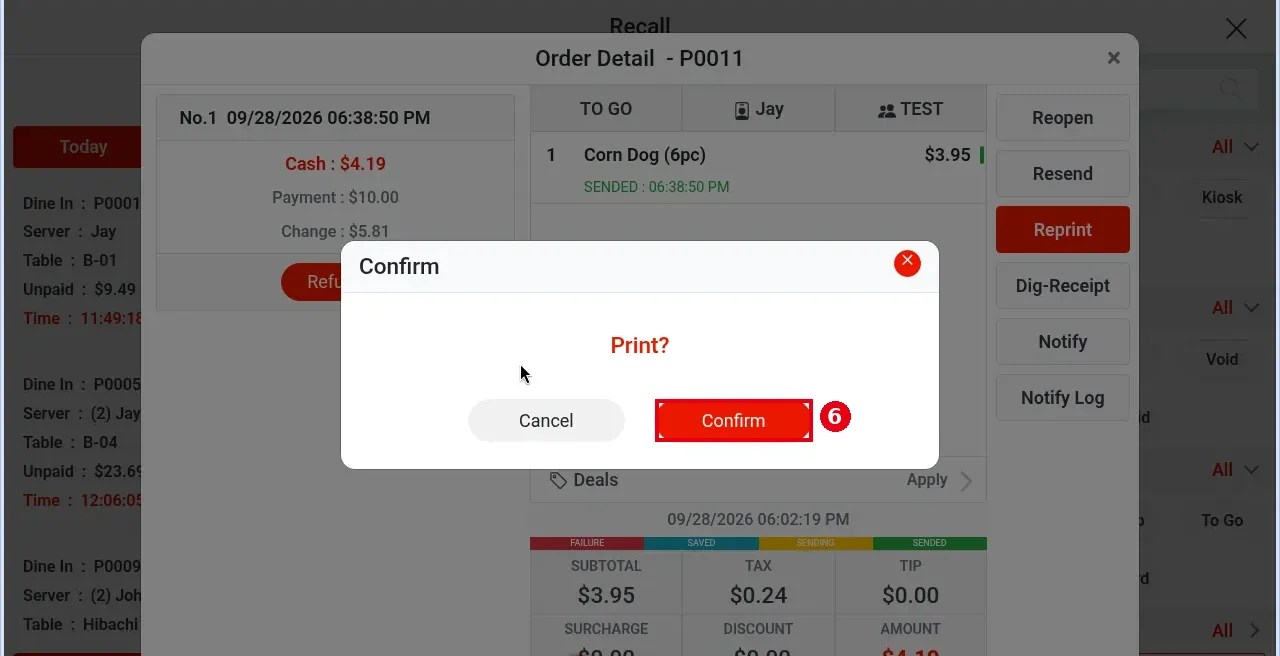
6. To reprint: tap Reprint; Print? appears – tap Confirm.
Notes / FAQ #
-
Resending does not change the items’ original sent times; the SENT time in Order Detail stays the time of the first send.
-
If the order has never been sent, this button reads Send (see 1.2.12).
-
If a printer is offline, the system reports the failure within 5 seconds. If the printer (or the local service) comes back within 30 minutes, kitchen tickets reprint automatically; after 30 minutes, use Resend. Customer receipts and other receipts never reprint automatically; use Reprint.
-
Kitchen print failures appear in the Send tab of the Notification Center; failed receipt printing appears in the Print tab (see 1.1.4).
-
A resent kitchen ticket has no “resend” mark; it looks the same as the first kitchen ticket.
-
Printing or sending customer receipts: see 1.3.9.


