
Purpose: When guests write a tip on the card receipt, add it to the matching card transaction before the batch is closed. For: managers, cashiers, servers (depending on permissions).
Steps #
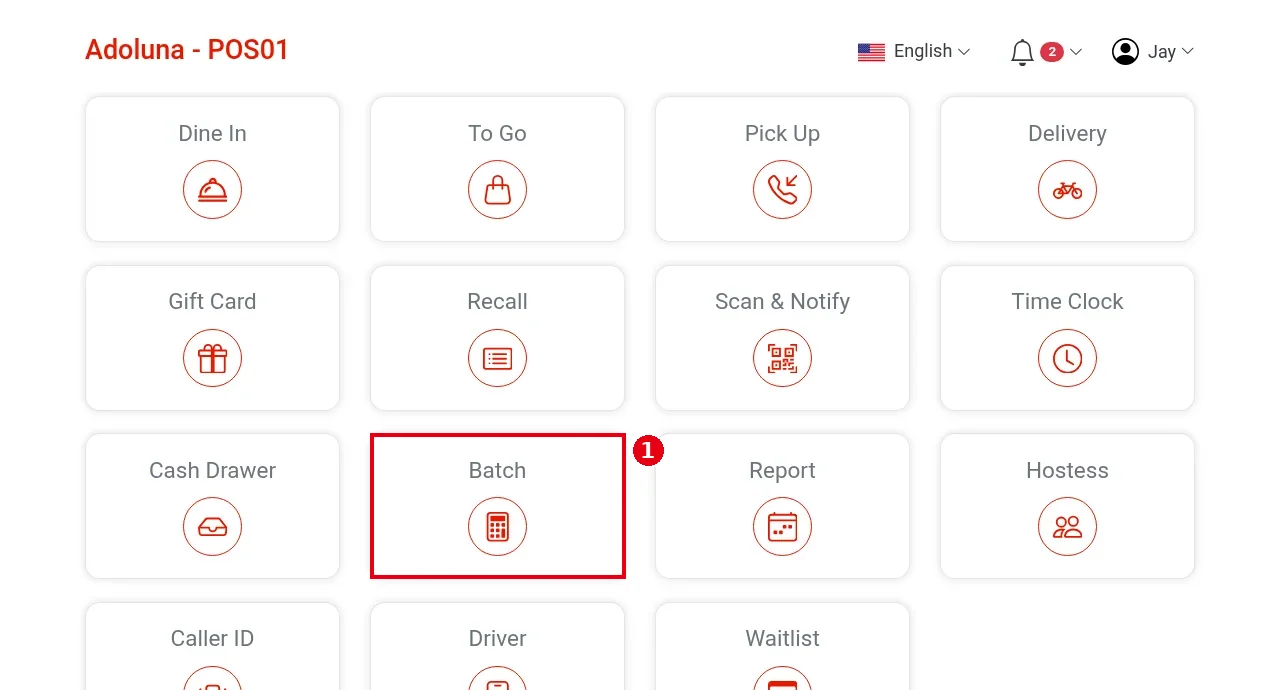
1. On the home screen tap Batch.
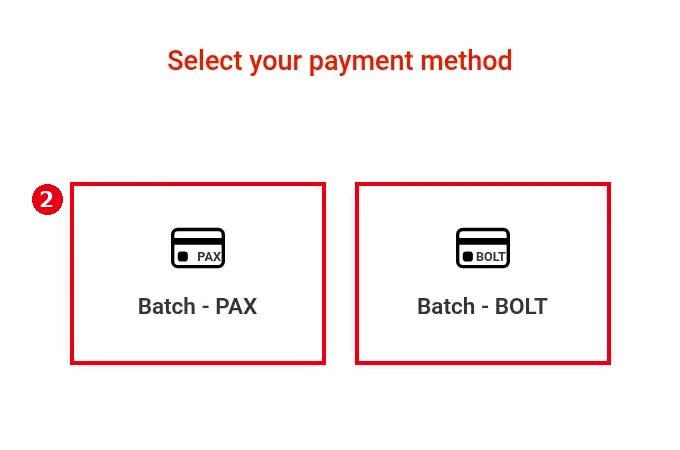
2. In Select your payment method, pick the terminal type: Batch – PAX or Batch – BOLT. Batch – PAX is used as the example below.
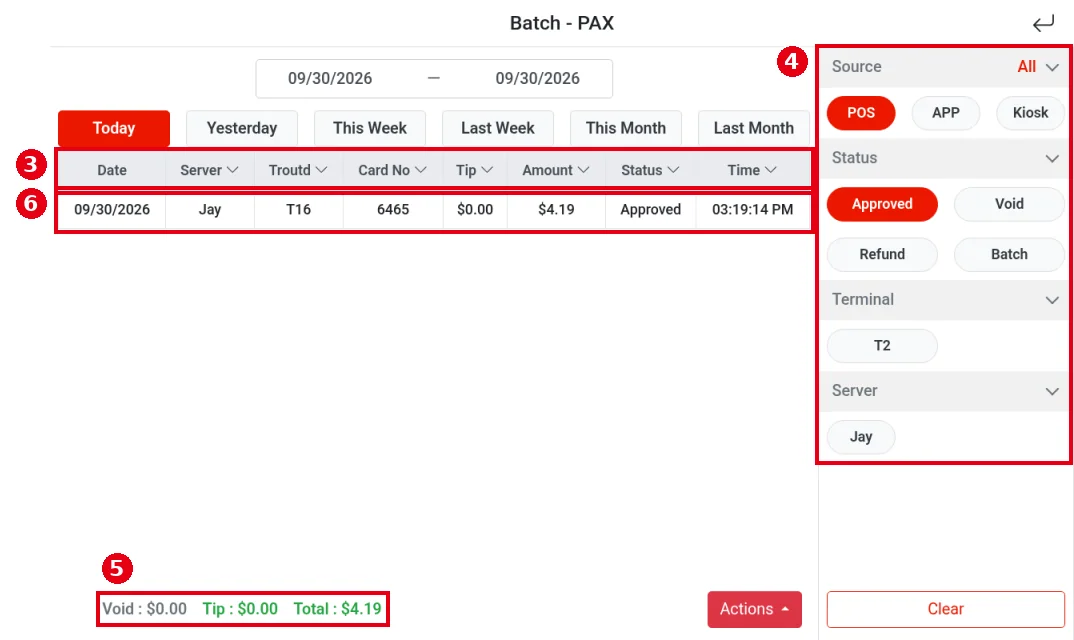
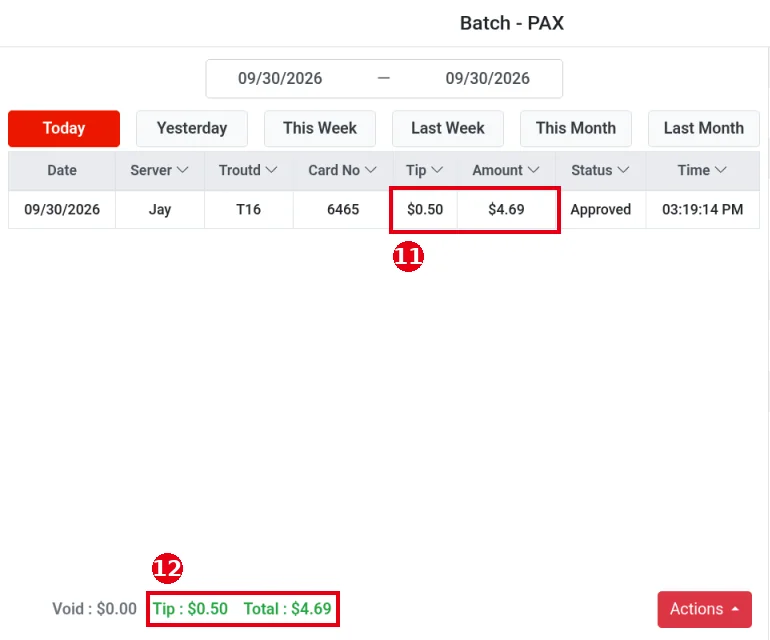
3. The Batch – PAX transaction list opens. ③ Columns: Date, Server (employee), Troutd (card transaction number, printed on each card receipt), Card No (last four digits), Tip, Amount, Status, Time. Pick a date range at the top or use shortcuts such as Today and Yesterday.
4. ④ Filters on the right: Source can be All, POS, APP or Kiosk (default POS); Status can be Approved, Void, Refund or Batch (batched) (default Approved). Terminal and Server filter by terminal and employee (e.g. T2, Jay). Clear resets them.
5. ⑤ Totals at the bottom: Void (voided amount), Tip, Total.
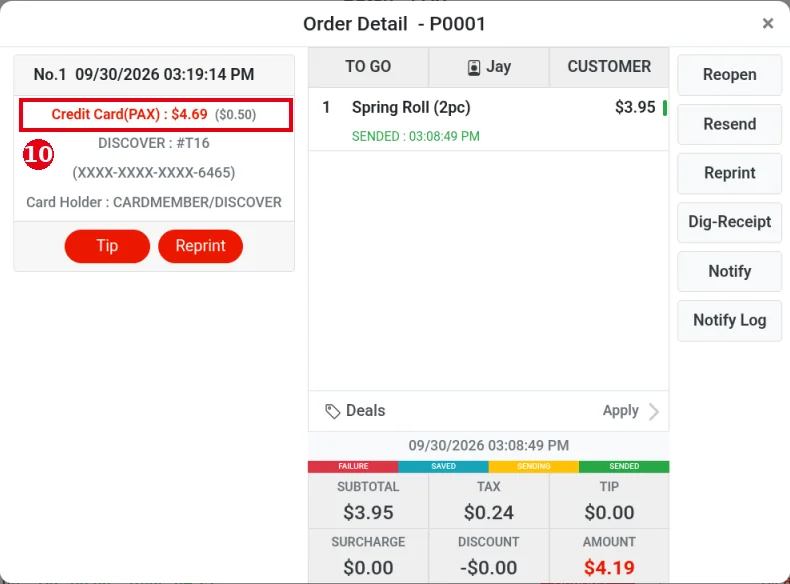
6. ⑥ Tap the transaction you want to add a tip to (find it in the Troutd column by the transaction number on the receipt, e.g. T16) to open Order Detail.
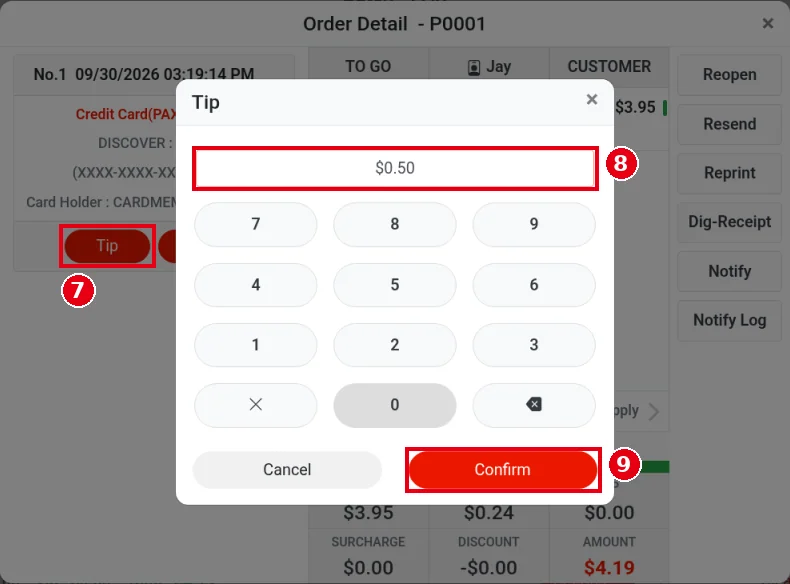
7. Under that payment on the left, tap ⑦ Tip (e.g. Credit Card(PAX), DISCOVER : #T16).
8. The Tip keypad opens. ⑧ Enter the tip (e.g. $0.50) and tap ⑨ Confirm (Cancel to go back). No card swipe or terminal step is needed.
9. The payment now shows the new total and the tip (⑩ e.g. Credit Card(PAX) : $4.69 ($0.50)).
10. Close Order Detail to go back to the list: ⑪ the transaction’s Tip and Amount columns and ⑫ the Tip and Total at the bottom are updated (e.g. $0.50, $4.69).
Notes / FAQ #
-
Add tips before closing the batch (see 1.6.3 How to close a credit card batch, 1.5.7 How to close out the day (end-of-day checklist)). Once the batch is closed, tips can’t be added or changed.
-
The Actions menu at the bottom right also has Tip (along with History, Reconcile and Batch). With no card transactions that day, it shows Transaction does not exist.
-
Batch – BOLT was not tested in this batch; its screens may differ from PAX.
-
A count badge on the home Batch button means a card payment was charged twice (see 4.1.1 Why was a card charged twice, and how do I fix it?).
-
Whether an employee can add tips, and whether it needs manager approval, depends on their permissions (set per employee on the back-office Employees screen).


