
Purpose: Refund all or part of one payment on a paid order. For: cashiers, managers.
Steps #
1. In Recall, select Paid and find the order (see 1.4.1), then open Order Detail. Cash payments show Refund right away once the order is paid; a card payment shows Refund only after the batch. Before the batch, cancel a card payment with Void instead (see 1.4.6 How to void a paid order). There is no need to Reopen first.
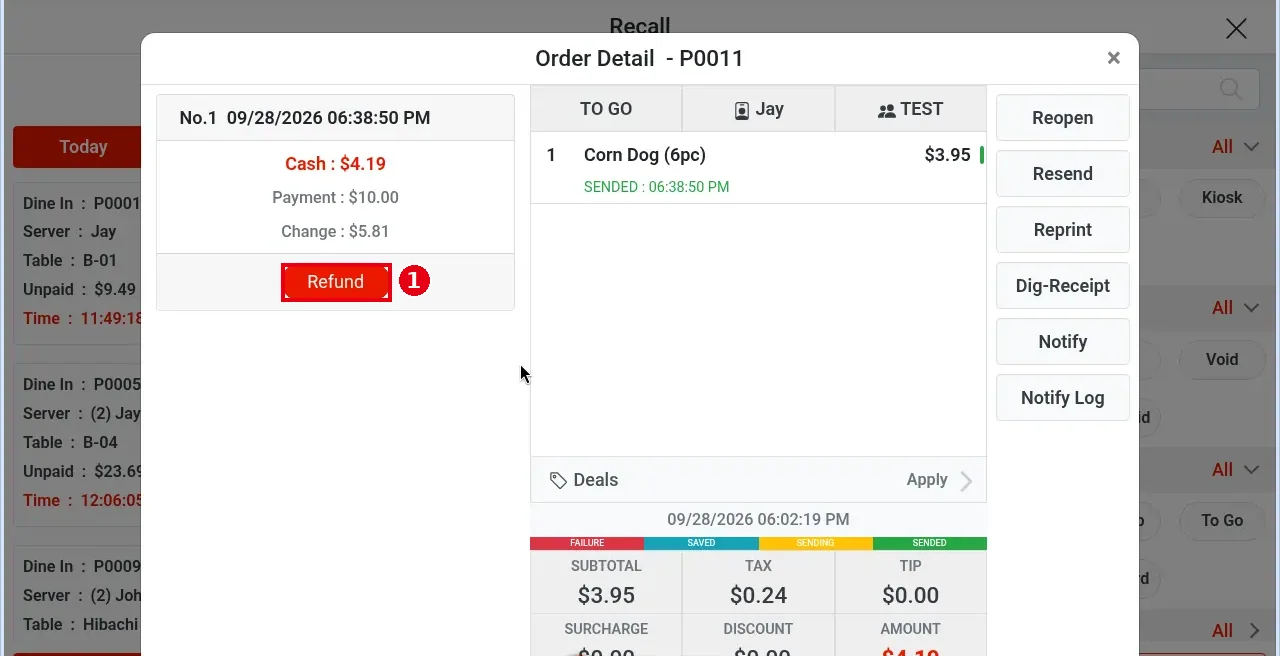
2. Tap ① Refund under the payment to refund (e.g. the No.1 cash payment of $5.00 on order P0014).
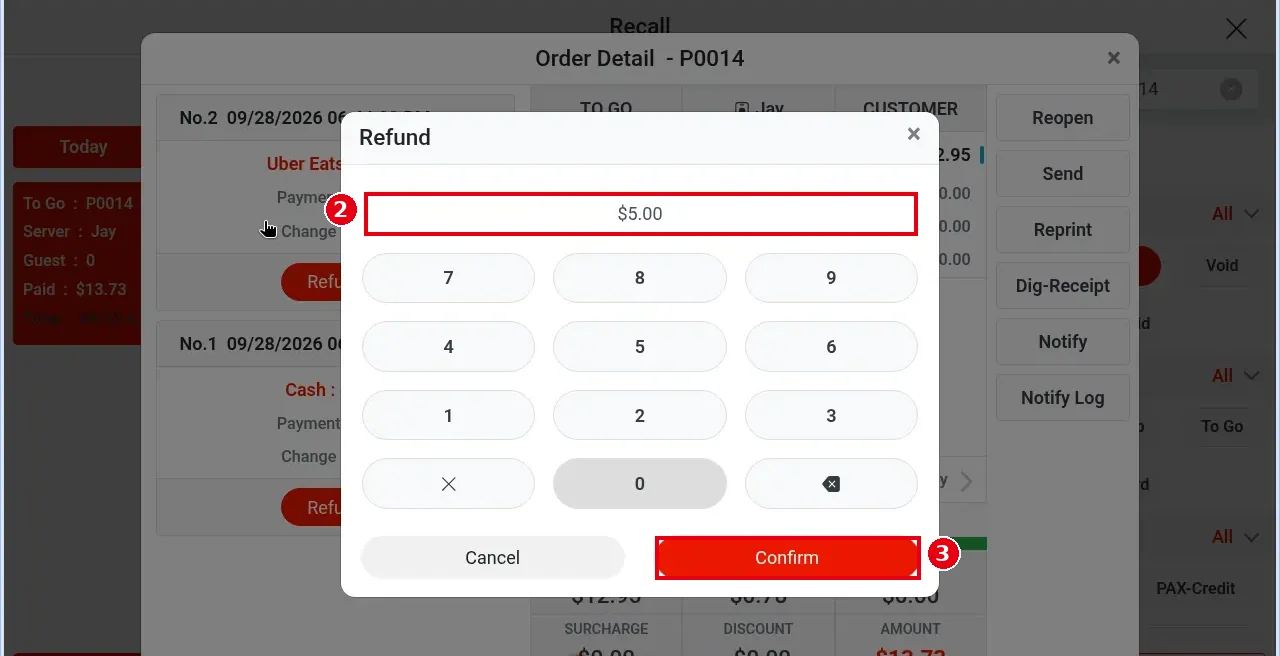
3. ② The Refund keypad opens at 0.00 and enters cents (e.g. press 5, 0, 0 for $5.00). You can refund just part of the amount.
4. Tap ③ Confirm; the refund is done at once (no reason is asked and there is no second confirmation).
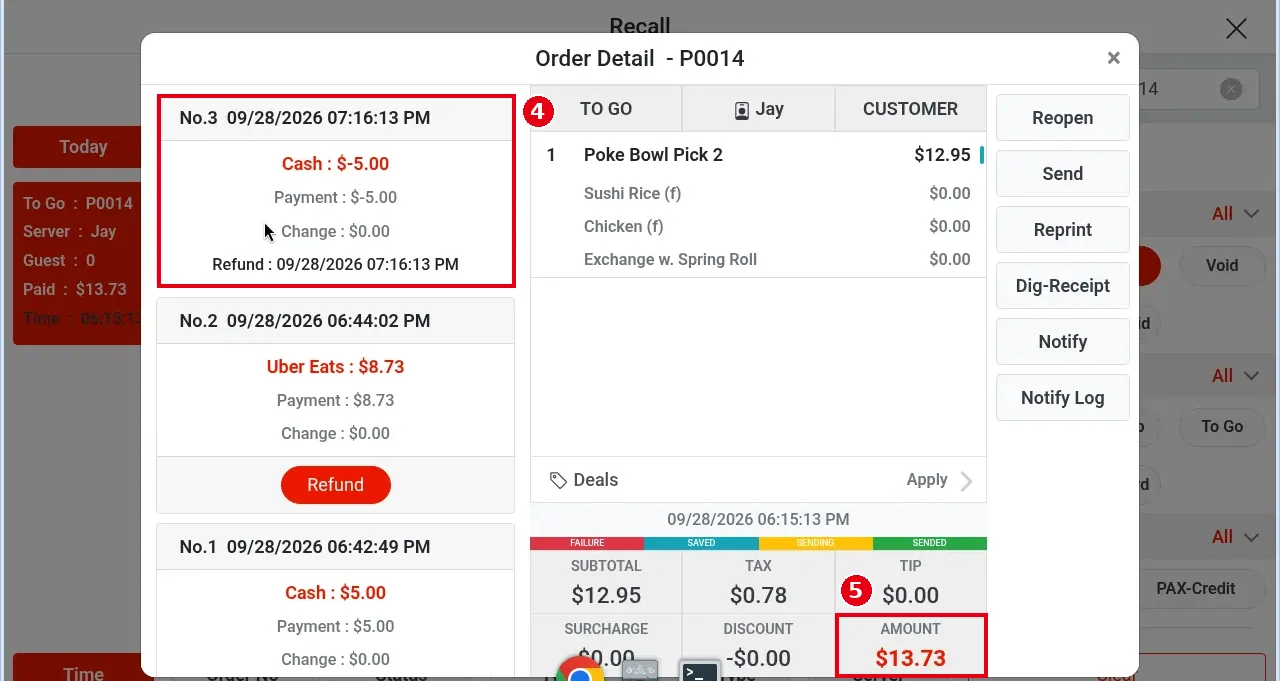
5. ④ A new negative record appears at the top of the payment list (e.g. No.3 … Cash : $-5.00, Refund : 09/28/2026 07:16:13 PM). ⑤ AMOUNT at the bottom of the ticket does not change (e.g. still $13.73), and the order stays Paid in Recall.
Credit card refunds (PAX) #
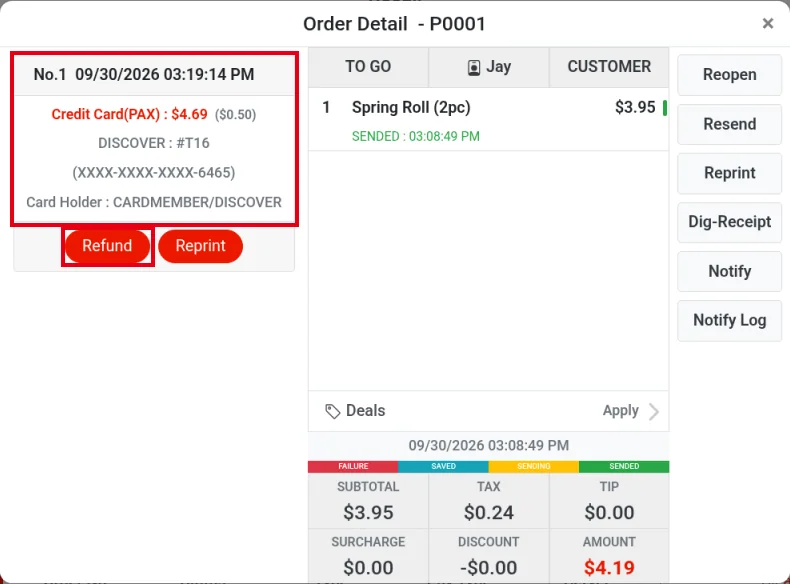
1. In Recall, select Paid, find the order and open Order Detail. Tap Refund under the card payment (e.g. order P0001, Credit Card(PAX) : $4.69 ($0.50)). A card payment shows Refund only after the batch; before the batch it can’t be refunded, so cancel it with Void instead (see 1.4.6 How to void a paid order).
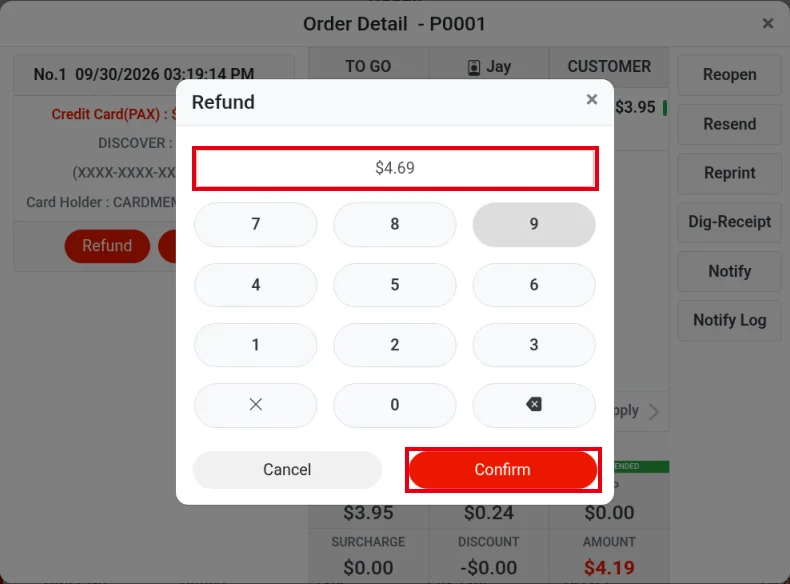
2. The Refund keypad opens. Enter the amount to refund (e.g. the full $4.69, including the $0.50 tip added later) and tap Confirm.
3. The Terminal window opens. Tap the card terminal to use (e.g. T2). Processing starts as soon as you tap it; there’s no separate confirm button.
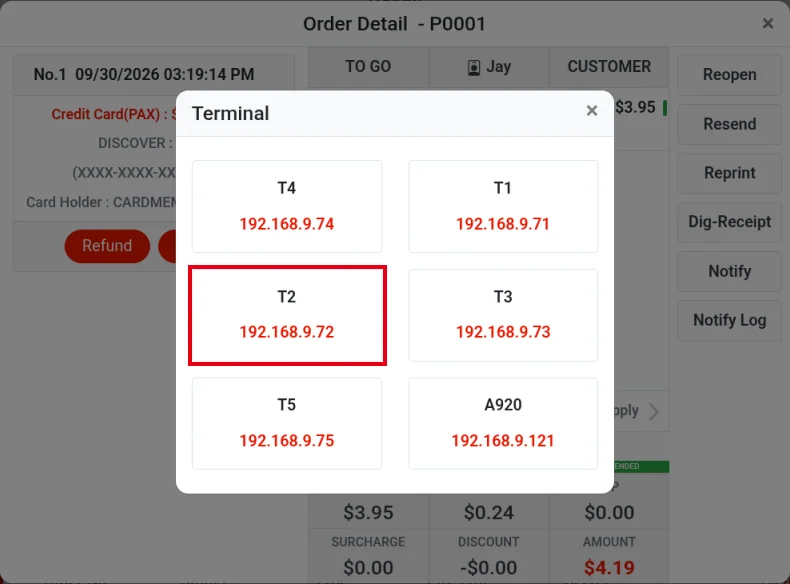
4. The selected terminal (PAX device) starts the refund. Insert the customer’s card, or key in the customer’s card number on that terminal, to complete the refund.
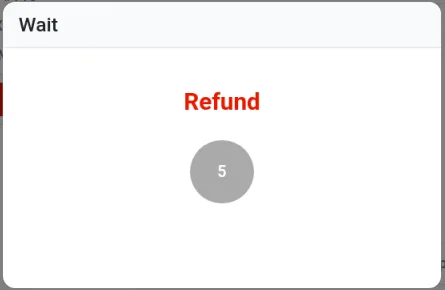
5. The POS shows a Wait window (Refund) while the terminal processes it.
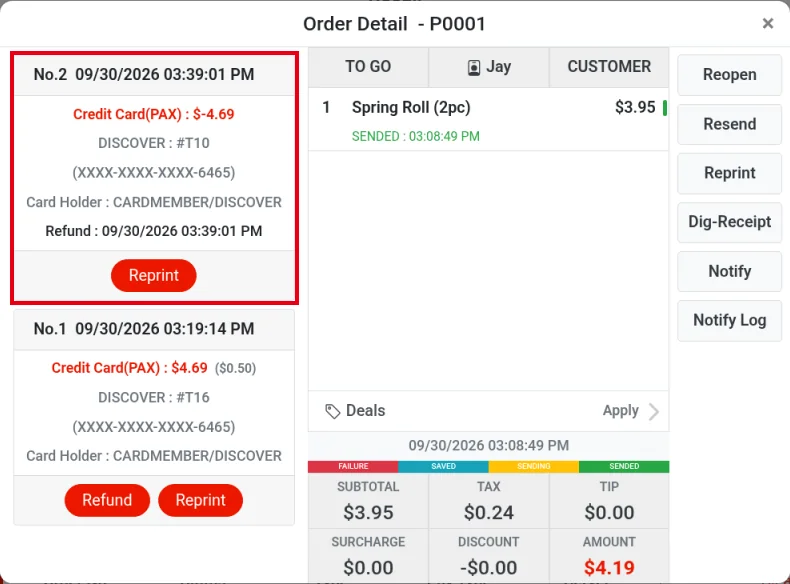
6. There’s no separate result window. A new negative PAX transaction appears at the top of the payment list (e.g. No.2 … Credit Card(PAX) : $-4.69, DISCOVER : #T10), with Refund : 09/30/2026 03:39:01 PM below it; this record only has a Reprint button. AMOUNT at the bottom of the ticket doesn’t change.
7. For a PAX refund, the customer’s card must be read again on the PAX terminal (tap, insert or swipe), because PAX stores neither the card number nor a token. Bolt devices (VP3350, Clover) keep a token for the transaction: if the order amount is reduced after payment (e.g. $10 → $8), the system uses the token to adjust the original transaction’s amount directly; no card is needed and the guest doesn’t need to be there. Strictly speaking this is an amount adjustment, not a refund. PAX keeps no token: if the order amount is reduced after payment, void the original payment (see 1.4.6 How to void a paid order) and charge the new amount again.
Notes / FAQ #
-
Refunds are made per payment: if the order was paid with several types (e.g. cash + Uber Eats), tap Refund under the matching payment.
-
Once an order has a refund it can no longer be voided. If the whole order needs voiding, void it instead of refunding (see 1.4.6).
-
Void vs refund: Void cancels the transaction and affects sales; with Refund, the guest gets the money back in 5–10 business days, and the refund is only recorded in the statistics (see 1.4.6 How to void a paid order).
-
Whether refunds need manager approval depends on each employee’s permissions (set per employee on the back-office Employees screen).
-
A payment can be refunded any number of times, but the total refunded can’t exceed the amount of that payment.
-
Credit card refunds: for PAX card payments, see “Credit card refunds (PAX)” above; the customer’s card must be read again on the PAX terminal. If the order amount is reduced after payment: for a Bolt device (VP3350, Clover) payment the system adjusts the original transaction’s amount directly with its token (an amount adjustment, not a refund), with no card needed and no need for the guest to be there; for a PAX payment, void the original payment and charge the new amount again (see step 7 of “Credit card refunds (PAX)” above). After the batch (see 1.6.3 How to close a credit card batch), a credit card payment can’t be voided, only refunded (see 4.7.1 Why do voids and refunds affect different report dates?).
-
When a gift card payment is refunded, the amount goes back onto the gift card.
-
Refunds on custom payment types such as DoorDash and Uber Eats are only recorded in the POS; the actual refund is done on the platform.


