
Purpose: Void a whole order that has already been paid: reopen it, void each payment, then void the order. For: cashiers, managers.
Steps #
1. In Recall, select Paid and find the order (see 1.4.1), then open Order Detail. A paid order has no Void button; each payment only has Refund.
2. Tap Reopen (see 1.4.3). After reopening, Void appears on the right and the button under each payment changes from Refund to Void (the picture shows another cash order as the example).
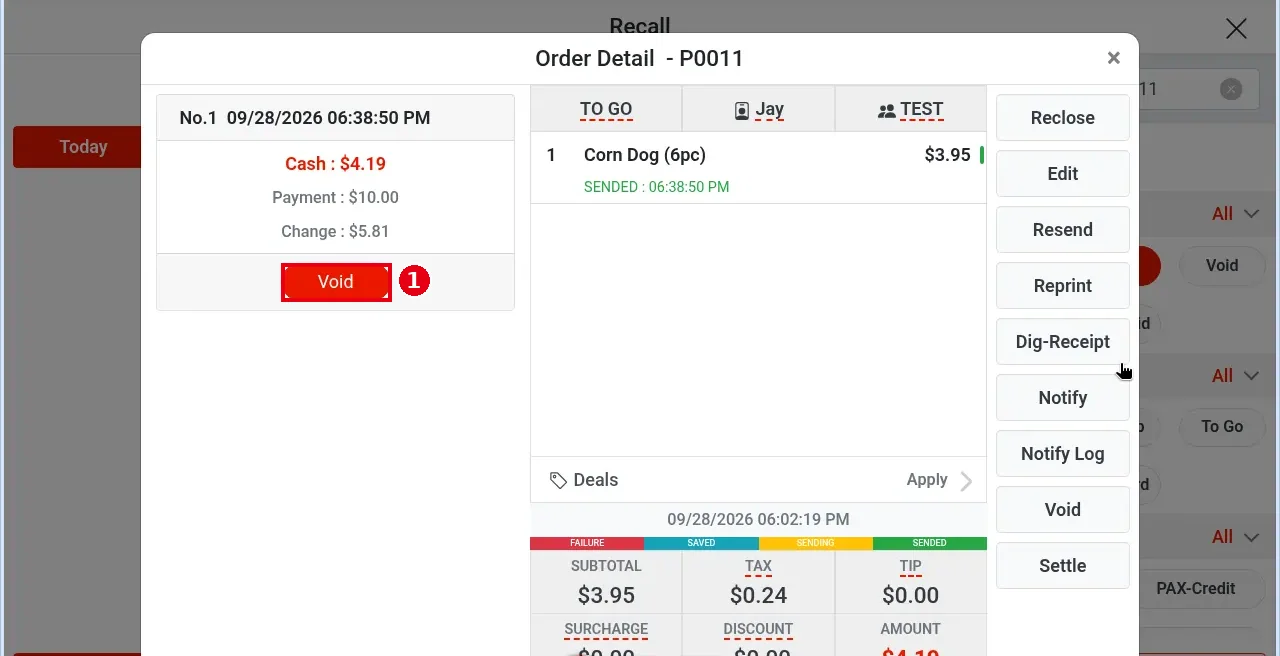
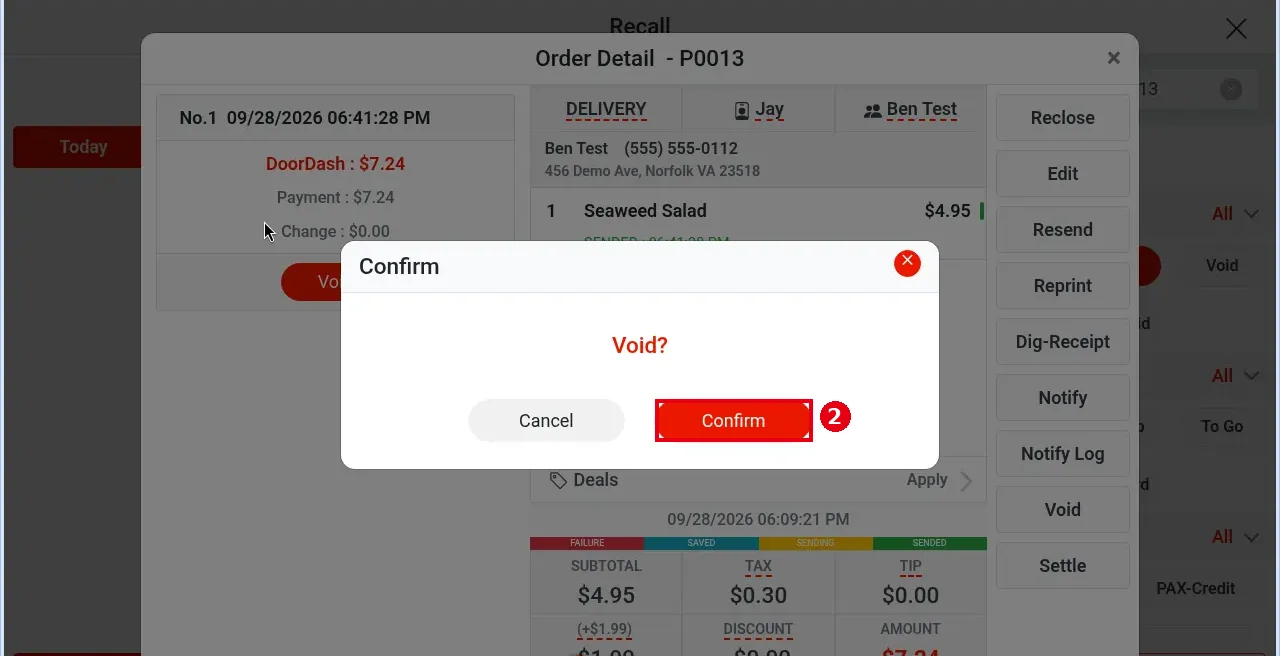
3. Void the payment first: tap Void under the payment; Void? appears – tap Confirm. If the order has several payments, void each one.
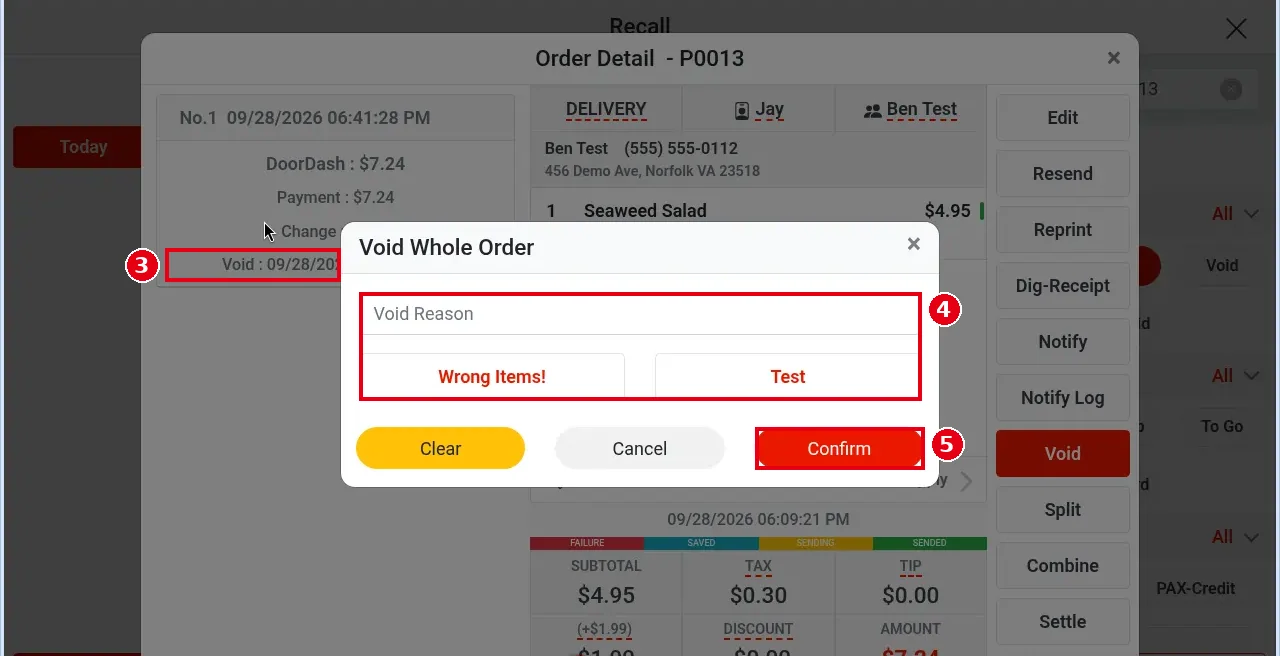
4. A voided payment turns grey and shows the void time (e.g. Void : 09/28/2026 07:13:39 PM). Once all payments are voided, the order is unpaid again: Reclose disappears and Split, Combine, Settle and other buttons appear on the right.
5. Tap Void on the right, choose or type a reason in Void Whole Order (e.g. Test) and tap Confirm.
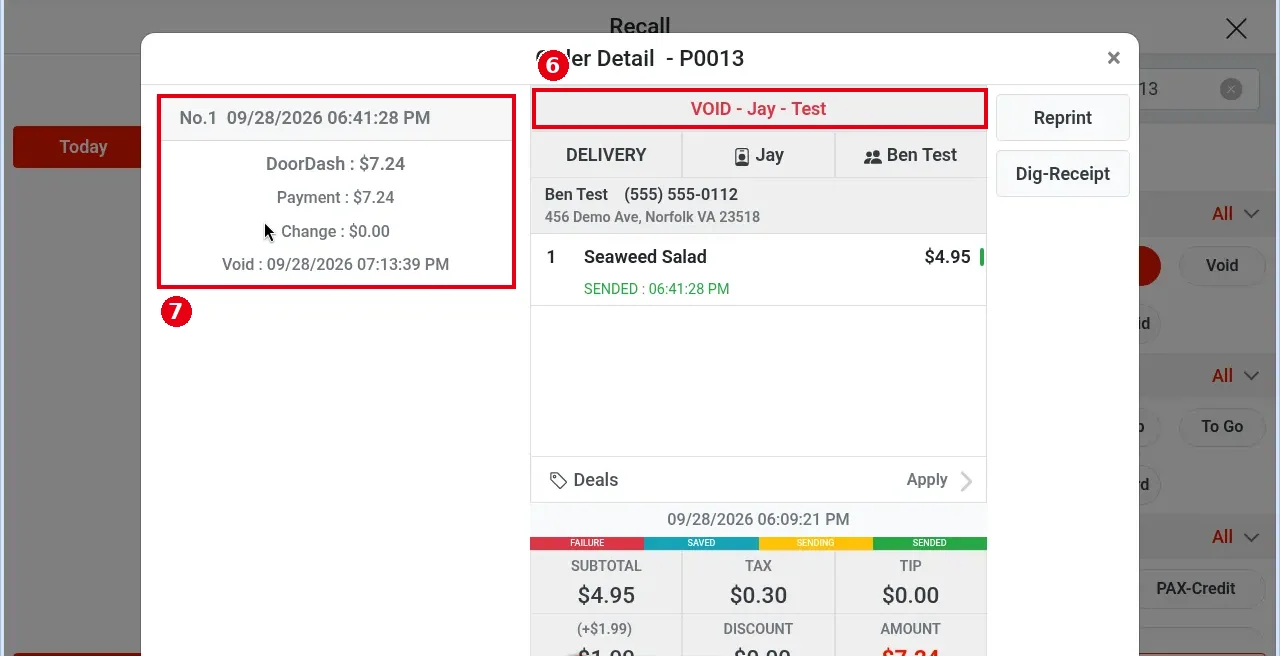
6. The order shows VOID – Jay – Test at the top; the payment record stays on the left with its void time.
Notes / FAQ #
-
Rule: before voiding the whole order, you must void every payment (with Void, not Refund), then void the order, following steps 3–5 of this article in order. In testing Void Whole Order also opened while a payment was still active, but don’t skip voiding the payments.
-
An order that has a refund cannot be voided (see 1.4.7).
-
After the batch (see 1.6.3 How to close a credit card batch), a credit card payment can no longer be voided, only refunded (see 1.4.7 How to refund an order).
-
Void vs refund: Void cancels the transaction and affects sales; with Refund, the guest gets the money back in 5–10 business days, and the refund is only recorded in the statistics (see 1.4.7 How to refund an order).
-
If reconciliation before batching finds an extra card transaction on the POS side, the payment can be voided on the POS order and collected again from the reconciliation screen in Batch (see 1.6.2 How to reconcile card transactions before batching; closing the batch reconciles first by default, see 1.6.3 How to close a credit card batch).
-
Whether voiding needs manager approval depends on each employee’s permissions (set per employee on the back-office Employees screen).


