
Purpose: Explain how voids and refunds differ in reports, and why they can affect different dates. For: owners, managers, cashiers.
Explanation #
Voids and refunds are recorded differently in reports (see 4.1.4 Why can’t I void an order that has a refund? and 1.4.7 How to refund an order):
-
Void: cancels the transaction. Voiding a payment or a whole order reduces the payment amount and sales, and the voided order is listed in the Void Orders report. A void counts on the original order’s date: voiding a previous day’s order changes that day’s report, not the report for the day of the void.
-
Refund: doesn’t reduce the original payment; it’s recorded as a separate refund. A refund adds a negative payment line to the order with the refund time (e.g. Refund : 09/28/2026 07:16:13 PM) and counts toward Refund in reports.
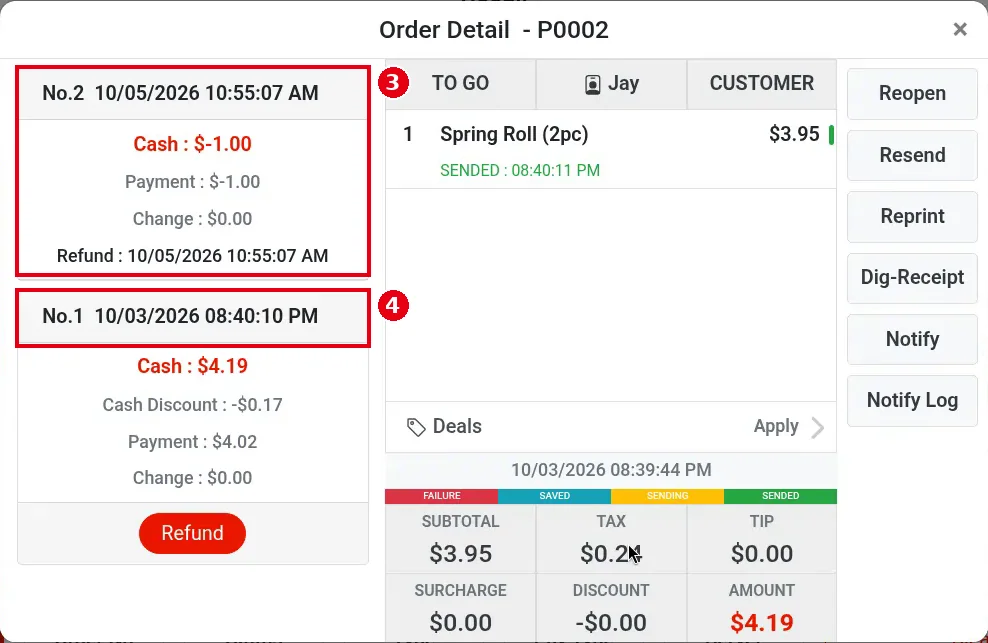
So when you handle an order from a previous day, watch the report date: a refund is recorded on the day the refund is made, not on the original order’s day. Tested 2026-10-05: order P0002 from 10/03 was refunded $1.00 on 10/05; the new refund line ③ on the order is dated 10/05 (④ the original payment is 10/03). In the POS Report > Settlement, ⑤ Today (10/05) shows ⑥ Refund Total -1.00, while the Last Week report up to 10/05 00:00 doesn’t include it. During the test the Backoffice Daily Summary (see 2.11.2 How to run the Daily Summary report) showed No Data for 10/03–10/05, so only the POS reports were compared. A void is different: voiding a previous day’s order is recorded on the original order’s day (it changes that day’s report), not on the day of the void.

At the bottom of the Dashboard, ① Void and ② Refund show the voided and refunded amounts for the selected period (see 2.11.1 How to read the Dashboard):

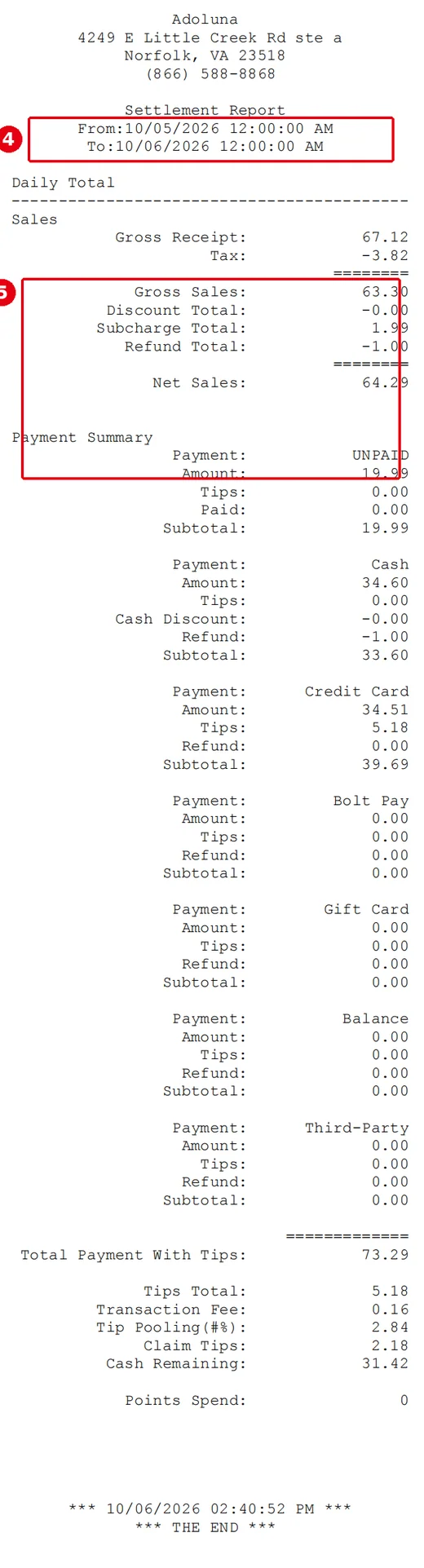
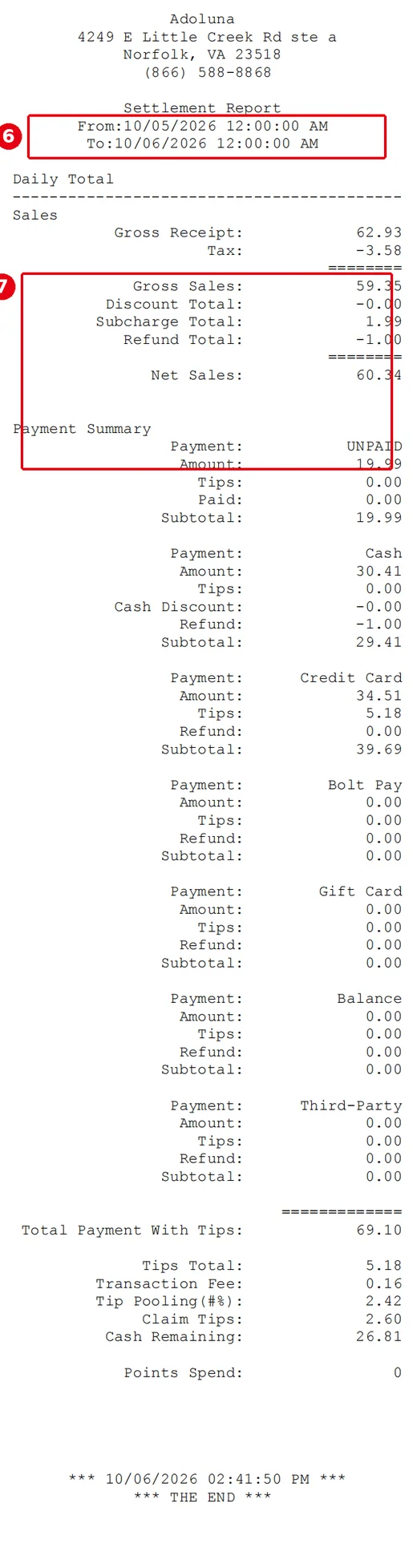
Example `Settlement Report` before and after a void on the same business day (dated 2026-10-05): ④⑥ the report date range; ⑤⑦ the sales totals (Gross Receipt through Net Sales), which drop after the void (the difference is the voided order).
What to do #
-
If you spot the problem the same day and the order can still be voided, void it as in 1.4.6 How to void a paid order; to give back part of the amount, refund as in 1.4.7 How to refund an order.
-
Once an order has a refund, it can’t be voided (see 4.1.4 Why can’t I void an order that has a refund?).
-
If a previous day’s report was already printed or sent to your accountant and you later void an order from that day, run and export the report again (see 1.5.6 How to view, print or email POS reports and 2.11.2 How to run the Daily Summary report).
-
After the batch (see 1.6.3 How to close a credit card batch), a credit card transaction can’t be voided, only refunded. For a PAX refund, the customer’s card must be read again on the PAX terminal; a refund on a Bolt device (VP3350, Clover) doesn’t need the card (see 1.4.7 How to refund an order).


